


LightWave3D Training
More videos are coming soon all the time! Check back often for new releases from Liberty3D.com
![Lightwave 3D- UV Mapping Bundle Pack I (Contains 5 Courses)[AG]](https://www.liberty3d.com/wp-content/plugins/wp-cart-for-digital-products/lib/timthumb.php?src=https://www.liberty3d.com/wp-content/uploads/2019/08/Lightwave_UV_Mapping_Bundle_Pack_01_400pix.jpg&h=125&w=125&zc=1&q=100)
![LightWave 2019/2018 Bundle Pack-Volumes #1 to #10 (Free Bonus Content & Tutorials) [AG]](https://www.liberty3d.com/wp-content/plugins/wp-cart-for-digital-products/lib/timthumb.php?src=https://www.liberty3d.com/wp-content/uploads/2019/08/Lightwave_2019_Bundle_V1_V10_400pix_JPEG.jpg&h=125&w=125&zc=1&q=100)
![LightWave 2019- Volume #10- Modeler Tools II [AG]](https://www.liberty3d.com/wp-content/plugins/wp-cart-for-digital-products/lib/timthumb.php?src=https://www.liberty3d.com/wp-content/uploads/2019/08/LW_2019_Vol_10_Product_Box_400pix.jpg&h=125&w=125&zc=1&q=100)
![LightWave 2019- Volume #9- Modeler Tools I [AG]](https://www.liberty3d.com/wp-content/plugins/wp-cart-for-digital-products/lib/timthumb.php?src=https://www.liberty3d.com/wp-content/uploads/2019/08/LW_2019_Vol_9_Product_Box_400pix.jpg&h=125&w=125&zc=1&q=100)
![LightWave 2019- Volume #8- UV Mapping I [AG]](https://www.liberty3d.com/wp-content/plugins/wp-cart-for-digital-products/lib/timthumb.php?src=https://www.liberty3d.com/wp-content/uploads/2019/07/LW_2019_Vol_8_UV_Map_I_Product_Box_400pix.jpg&h=125&w=125&zc=1&q=100)
![LightWave 2019/2018/2015 Super Bundle Pack [AG]](https://www.liberty3d.com/wp-content/plugins/wp-cart-for-digital-products/lib/timthumb.php?src=https://www.liberty3d.com/wp-content/uploads/2019/07/Lightwave_2019_2018_2015_Bundle_Pack_JPEG.jpg&h=125&w=125&zc=1&q=100)
![LightWave 2019- 3 Pack Bundle (Volumes #5,6,7) [AG]](https://www.liberty3d.com/wp-content/plugins/wp-cart-for-digital-products/lib/timthumb.php?src=https://www.liberty3d.com/wp-content/uploads/2019/06/Lightwave_2019_3_Pack_Bundle_JPEG.jpg&h=125&w=125&zc=1&q=100)
![LightWave 2019/2018- 3D Bundle Pack (Vol.#1 to #7), Dino-Pack, Environment Map Collections) [AG]](https://www.liberty3d.com/wp-content/plugins/wp-cart-for-digital-products/lib/timthumb.php?src=https://www.liberty3d.com/wp-content/uploads/2019/06/Lightwave_2019_2018_7_Pack_Bonus_Content_1000pix.jpg&h=125&w=125&zc=1&q=100)
![LightWave 2019- Volume #7- Volumetrics I [AG]](https://www.liberty3d.com/wp-content/plugins/wp-cart-for-digital-products/lib/timthumb.php?src=https://www.liberty3d.com/wp-content/uploads/2019/06/LW_2019_Vol_7_Product_Box_400pix.jpg&h=125&w=125&zc=1&q=100)
![LightWave 2019- Volume #6- VDB Creation Tools II- Basics [AG]](https://www.liberty3d.com/wp-content/plugins/wp-cart-for-digital-products/lib/timthumb.php?src=https://www.liberty3d.com/wp-content/uploads/2019/06/LW_2019_Vol_6_Product_Box_400pix.jpg&h=125&w=125&zc=1&q=100)
![LightWave 2019/2018- 3D Bundle Pack (5 Volumes, Dino-Pack, Environment Map Collections) [AG]](https://www.liberty3d.com/wp-content/plugins/wp-cart-for-digital-products/lib/timthumb.php?src=https://www.liberty3d.com/wp-content/uploads/2019/05/Lightwave_2019_2018_5_Pack_Deal_01.jpg&h=125&w=125&zc=1&q=100)
![LightWave 2019- Volume #5- VDB Creation Tools I- Basics [AG]](https://www.liberty3d.com/wp-content/plugins/wp-cart-for-digital-products/lib/timthumb.php?src=https://www.liberty3d.com/wp-content/uploads/2019/04/LW_2019_Vol_5_Product_Box_400pix.jpg&h=125&w=125&zc=1&q=100)
![Unreal_Bridge for Lightwave Users [RR]](https://www.liberty3d.com/wp-content/plugins/wp-cart-for-digital-products/lib/timthumb.php?src=https://www.liberty3d.com/wp-content/uploads/2019/04/Product_Logo.png&h=125&w=125&zc=1&q=100)
![House Modeling With LightWave & LWCad [PN]](https://www.liberty3d.com/wp-content/plugins/wp-cart-for-digital-products/lib/timthumb.php?src=https://www.liberty3d.com/wp-content/uploads/2018/12/title_card.png&h=125&w=125&zc=1&q=100)
![LightWave 2018- Volume #4- Surfacing I- Prinicpled BSDF [AG]](https://www.liberty3d.com/wp-content/plugins/wp-cart-for-digital-products/lib/timthumb.php?src=https://www.liberty3d.com/wp-content/uploads/2018/12/LW_2018_Vol_4_Product_Box_400pix.jpg&h=125&w=125&zc=1&q=100)
![Iron Sky Model and Scene Pack Vol. Two [KAT]](https://www.liberty3d.com/wp-content/plugins/wp-cart-for-digital-products/lib/timthumb.php?src=https://www.liberty3d.com/wp-content/uploads/2018/11/AustraliaPromo_4.jpg&h=125&w=125&zc=1&q=100)
![Iron Sky Model and Scene Pack Vol. One [KAT]](https://www.liberty3d.com/wp-content/plugins/wp-cart-for-digital-products/lib/timthumb.php?src=https://www.liberty3d.com/wp-content/uploads/2018/11/Zepp_20.jpg&h=125&w=125&zc=1&q=100)
![LightWave 2018 Bundle- Volumes #1,2,3 [AG]](https://www.liberty3d.com/wp-content/plugins/wp-cart-for-digital-products/lib/timthumb.php?src=https://www.liberty3d.com/wp-content/uploads/2018/10/Lightwave_2018_Bundle_Vol_123_JPEG.jpg&h=125&w=125&zc=1&q=100)
![Advanced TurbulenceFD Concepts and Projects: Propulsion [KAT]](https://www.liberty3d.com/wp-content/plugins/wp-cart-for-digital-products/lib/timthumb.php?src=https://www.liberty3d.com/wp-content/uploads/2018/07/PACLauncherExample_R03.jpg&h=125&w=125&zc=1&q=100)
![LightWave 2018- Volume #3- Getting Started III [AG]](https://www.liberty3d.com/wp-content/plugins/wp-cart-for-digital-products/lib/timthumb.php?src=https://www.liberty3d.com/wp-content/uploads/2018/10/LW_2018_Vol_3_Product_Box_400pix.jpg&h=125&w=125&zc=1&q=100)
![Practical Production Techniques Vol. 11 - Project Car Commercial [KAT]](https://www.liberty3d.com/wp-content/plugins/wp-cart-for-digital-products/lib/timthumb.php?src=https://www.liberty3d.com/wp-content/uploads/2018/05/PPTV11_PCC_Promo19.jpg&h=125&w=125&zc=1&q=100)
![Fusion for LightWave (2018) Artists - Vol. 6 [KAT]](https://www.liberty3d.com/wp-content/plugins/wp-cart-for-digital-products/lib/timthumb.php?src=https://www.liberty3d.com/wp-content/uploads/2018/05/FFLWAVI_PromoShots_8-900x450.jpg&h=125&w=125&zc=1&q=100)
![Fusion for LightWave Artists Vol. 5 - Curse of the Phantom Shadow [KAT]](https://www.liberty3d.com/wp-content/plugins/wp-cart-for-digital-products/lib/timthumb.php?src=https://www.liberty3d.com/wp-content/uploads/2018/05/FFLWAV_3-150x150.jpg&h=125&w=125&zc=1&q=100)
![TFD Advanced Concepts and Projects: Engine Fire [KAT]](https://www.liberty3d.com/wp-content/plugins/wp-cart-for-digital-products/lib/timthumb.php?src=https://www.liberty3d.com/wp-content/uploads/2018/05/TFDEngineFire_PromoImage1-150x150.jpg&h=125&w=125&zc=1&q=100)
![LightWave 2018- Volume #2- Getting Started II [AG]](https://www.liberty3d.com/wp-content/plugins/wp-cart-for-digital-products/lib/timthumb.php?src=https://www.liberty3d.com/wp-content/uploads/2018/10/LW_2018_Vol_2_Product_Box_400pix.jpg&h=125&w=125&zc=1&q=100)
![AR Portfolio 2.2 [CW]](https://www.liberty3d.com/wp-content/plugins/wp-cart-for-digital-products/lib/timthumb.php?src=https://liberty3d.com/Artists/Videos/Chilton/ARPortfolioThumbnail.png&h=125&w=125&zc=1&q=100)
![Adobe Fuse for LightWave Artists [PN]](https://www.liberty3d.com/wp-content/plugins/wp-cart-for-digital-products/lib/timthumb.php?src=https://www.liberty3d.com/wp-content/uploads/2018/03/title_card-300x169.png&h=125&w=125&zc=1&q=100)
![LightWave 2018- Volume #1- Getting Started I [AG]](https://www.liberty3d.com/wp-content/plugins/wp-cart-for-digital-products/lib/timthumb.php?src=https://www.liberty3d.com/wp-content/uploads/2018/10/LW_2018_Vol_1_Product_Box_400pix.jpg&h=125&w=125&zc=1&q=100)
![ARKit - Augmented Reality for LightWave 2018 [CW]](https://www.liberty3d.com/wp-content/plugins/wp-cart-for-digital-products/lib/timthumb.php?src=https://www.liberty3d.com/wp-content/uploads/2018/01/ARKitScreenshot.png&h=125&w=125&zc=1&q=100)
![TFD for LightWave3D - Conventional Weapons Pack [KAT]](https://www.liberty3d.com/wp-content/plugins/wp-cart-for-digital-products/lib/timthumb.php?src=https://www.liberty3d.com/wp-content/uploads/2017/12/TFDCWP_TankExample.jpg&h=125&w=125&zc=1&q=100)
![LightWave 2015- Getting Started in FiberFX- Volume #1 [AG]](https://www.liberty3d.com/wp-content/plugins/wp-cart-for-digital-products/lib/timthumb.php?src=https://www.liberty3d.com/wp-content/uploads/2018/10/LW_2015_FiberFX-Vol_1_400pix.jpg&h=125&w=125&zc=1&q=100)
![LightWave 2015 Bundle Pack (12 Volumes) & Bonus Content- [AG]](https://www.liberty3d.com/wp-content/plugins/wp-cart-for-digital-products/lib/timthumb.php?src=https://www.liberty3d.com/wp-content/uploads/2018/10/Lightwave_2015_Vol_1_to_12_Bundle_Dino_Pack_JPEG.jpg&h=125&w=125&zc=1&q=100)
![LightWave 2015- Volume #12- Modeling for Beginners [AG]](https://www.liberty3d.com/wp-content/plugins/wp-cart-for-digital-products/lib/timthumb.php?src=https://www.liberty3d.com/wp-content/uploads/2018/10/Lightwave_2015_Vol_12_Product_Box_400pix.jpg&h=125&w=125&zc=1&q=100)
![Advanced TurbulenceFD For LightWave3D - Masks and Fuel Masks [KAT]](https://www.liberty3d.com/wp-content/plugins/wp-cart-for-digital-products/lib/timthumb.php?src=https://www.liberty3d.com/wp-content/uploads/2017/08/SimpleAnimatedFuelMask_R06.jpg&h=125&w=125&zc=1&q=100)
![Current Rigging Concepts [RR]](https://www.liberty3d.com/wp-content/plugins/wp-cart-for-digital-products/lib/timthumb.php?src=https://www.liberty3d.com/wp-content/uploads/2017/07/CurrentRiggingConcepts_Thumbnail.jpg&h=125&w=125&zc=1&q=100)

![Adam's Crazy (Summer 2017) 3D Bundle Pack [AG]](https://www.liberty3d.com/wp-content/plugins/wp-cart-for-digital-products/lib/timthumb.php?src=https://www.liberty3d.com/wp-content/uploads/2017/06/Adams_Crazy_Summer_2017_3D_Bundle_JPEG.jpg&h=125&w=125&zc=1&q=100)
![Lightwave 2015 Bundle Pack- (Volumes #1 to #11)- [AG]](https://www.liberty3d.com/wp-content/plugins/wp-cart-for-digital-products/lib/timthumb.php?src=https://www.liberty3d.com/wp-content/uploads/2017/06/Lightwave_2015_Bundle_Vol_1_to_11_JPEG.jpg&h=125&w=125&zc=1&q=100)
![Practical Production Techniques Vol. 10 - Project Smoke Monster [kat]](https://www.liberty3d.com/wp-content/plugins/wp-cart-for-digital-products/lib/timthumb.php?src=https://www.liberty3d.com/wp-content/uploads/2017/01/PPTV10_FusionCompExample-150x150.png&h=125&w=125&zc=1&q=100)
![LightWave 2015- Volume #11- Character Rigging for Beginners [AG]](https://www.liberty3d.com/wp-content/plugins/wp-cart-for-digital-products/lib/timthumb.php?src=https://www.liberty3d.com/wp-content/uploads/2019/08/Lightwave_2015_Vol_11_Product_Box_400pix.jpg&h=125&w=125&zc=1&q=100)
![Substance Painter for Lightwave Users- Volume #8- Sci-Fi Vehicle Detailing II- Paint Tools & Materials [AG]](https://www.liberty3d.com/wp-content/plugins/wp-cart-for-digital-products/lib/timthumb.php?src=https://www.liberty3d.com/wp-content/uploads/2018/10/SP_for_LW_Users_Vol_8_Product_Shot_400pix.jpg&h=125&w=125&zc=1&q=100)
![Daz3d to Lightwave Mocap Utility [RR]](https://www.liberty3d.com/wp-content/plugins/wp-cart-for-digital-products/lib/timthumb.php?src=https://www.liberty3d.com/wp-content/uploads/2016/07/Daz3d_to_LW_Plugin_ProductImage.jpg&h=125&w=125&zc=1&q=100)
![The Quick Start Guide to Octane (Lightwave) [RR]](https://www.liberty3d.com/wp-content/plugins/wp-cart-for-digital-products/lib/timthumb.php?src=https://www.liberty3d.com/wp-content/uploads/2016/06/Octane_Thumbnail.png&h=125&w=125&zc=1&q=100)
![Advanced LightWave Modeling Projects - Chevy Impala [ELV]](https://www.liberty3d.com/wp-content/plugins/wp-cart-for-digital-products/lib/timthumb.php?src=https://www.liberty3d.com/wp-content/uploads/2016/05/impalapromoone-300x254.jpg&h=125&w=125&zc=1&q=100)
![Fusion for LightWave Artists Part III [KAT]](https://www.liberty3d.com/wp-content/plugins/wp-cart-for-digital-products/lib/timthumb.php?src=https://www.liberty3d.com/wp-content/uploads/2016/05/FusionCompOne.jpg&h=125&w=125&zc=1&q=100)
![TFD Advanced Concepts and Projects - Clouds [KAT]](https://www.liberty3d.com/wp-content/plugins/wp-cart-for-digital-products/lib/timthumb.php?src=https://www.liberty3d.com/wp-content/uploads/2016/05/CloudOne_SoftPuffyLookR07_0065-300x169.png&h=125&w=125&zc=1&q=100) CLICK A PAGE NUMBER ABOVE FOR EVEN MORE LIGHTWAVE 3DTRAINING PRODUCTS:
CLICK A PAGE NUMBER ABOVE FOR EVEN MORE LIGHTWAVE 3DTRAINING PRODUCTS:
![Lightwave 3D- UV Mapping Bundle Pack I (Contains 5 Courses)[AG]](https://www.liberty3d.com/wp-content/uploads/2019/08/Lightwave_UV_Mapping_Bundle_Pack_01_400pix.jpg)
The "Lightwave UV Mapping Bundle Pack I" contains: 1) Lightwave 2019- Volume #8- UV Mapping I,
2) Lightwave 2015- Volume #9- UV Mapping- Dinosaur UV Project,
3) Lightwave 11.5- UV Mapping a Human,
4) Lightwave 11.5 UV Mapping a Creature,
5) Lightwave 11.5 UV Mapping Essentials
![LightWave 2019/2018 Bundle Pack-Volumes #1 to #10 (Free Bonus Content & Tutorials) [AG]](https://www.liberty3d.com/wp-content/uploads/2019/08/Lightwave_2019_Bundle_V1_V10_400pix_JPEG.jpg)
Lightwave 2019/2018 Bundle Pack-Volumes #1 to #10 (Includes Bonus Content & Bonus Tutorials). Also includes Free Dinosaur Pack (40 3D Dinosaur Models), 2 x Environment Map Collections, 4 Bonus Lightwave Modeling Courses (Hard Surface & Sub-D).
![LightWave 2019- Volume #10- Modeler Tools II [AG]](https://www.liberty3d.com/wp-content/uploads/2019/08/LW_2019_Vol_10_Product_Box_400pix.jpg)
In this tenth volume of the Lightwave 2019/2018 (12 Volume Series) 3D Instructor Adam Gibson continues his detailed introduction to Modeler's powerful toolset. A great place to start for beginner Lightwave Users.
Some of the Topics Covered: 1) Mesh Modify Tools (Move, Rotate, Stretch, Size), 2) Axis Constraints, 3) Mouse Action Center Options, 4) 3D Text Logo Tools, 5) Point & Polygon Creation Tools, 6) Converting EPS (Encapsulated Postscript Files) from Adobe Illustrator for use in Lightwave 3D, 7) EPS File Import, 8) EPS to 3D Logo Project, 9) Mesh Correction/Optimization.
![LightWave 2019- Volume #9- Modeler Tools I [AG]](https://www.liberty3d.com/wp-content/uploads/2019/08/LW_2019_Vol_9_Product_Box_400pix.jpg)
In this ninth volume of the Lightwave 2019/2018 (12 Volume Series) 3D Instructor Adam Gibson introduces Modeler's 3D mesh creation tools and UI (User Interface). A great place to start for beginner Lightwave Users.
Some of the Topics Covered: 1) File Management, 2) Lightwave HUB, 3) Layout Views, 4) Orthagonal & Perspective Navigation Tools, 5) Grid & Origin, 6) Background Color, 7) Polygonal Primitive Shape Tools, 8) Selection Modes, 9) Selecting Items, 10) Lasso Selections, 11) Autofit, 12) Surface Normals.
![LightWave 2019- Volume #8- UV Mapping I [AG]](https://www.liberty3d.com/wp-content/uploads/2019/07/LW_2019_Vol_8_UV_Map_I_Product_Box_400pix.jpg)
In this eighth volume of the Lightwave 2019/2018 (12 Volume Series) 3D Instructor Adam Gibson introduces Lightwave's easy to use UV Mapping Tools. Being able to UV Map your 3D models for texturing purposes for use in Video Games, TV and Film is a must have skill-set for any 3D Artist. Also all 3D Painting Packages require your 3D Models to have pre-created UV Maps for Exporting Textures to any other 3D Software Package. A great place to start for beginner Lightwave Users. Some of the Topics Covered: 1) New UDIM Tools, 2) UV Projection Tools, 3) UV Editor Basics. 4) ABF UV Unwrap Tool, 5) Edge Selections, 6) Creating UDIM Image Sequences, 7) Cigarette Box Project, 8) Image Importing/Set-Up for UV Mapping and more!!
![LightWave 2019/2018/2015 Super Bundle Pack [AG]](https://www.liberty3d.com/wp-content/uploads/2019/07/Lightwave_2019_2018_2015_Bundle_Pack_JPEG.jpg)
This Video Bundle Contains: 1) Lightwave 2019/2018-Volumes #1,2,3,4,5,6,7 2) Lightwave 2015- Volumes #1,2,3,4,5,6,7,8,9,10,11,12 3) Dino Mega Pack (40 Dinosaurs), Creature Eye Pack- Volume #1, and Environment Map Collections #1 & #2.
![LightWave 2019- 3 Pack Bundle (Volumes #5,6,7) [AG]](https://www.liberty3d.com/wp-content/uploads/2019/06/Lightwave_2019_3_Pack_Bundle_JPEG.jpg)
This Video Bundle Includes: Lightwave 2019 Volumes #5, 6, & 7.
![LightWave 2019/2018- 3D Bundle Pack (Vol.#1 to #7), Dino-Pack, Environment Map Collections) [AG]](https://www.liberty3d.com/wp-content/uploads/2019/06/Lightwave_2019_2018_7_Pack_Bonus_Content_1000pix.jpg)
This Bundle Packs Contains: Lightave 2019- Volumes #5,6,7 and Lightwave 2018- Volumes #1,2,3,4, Enironment Map Collections #1 & 2, and Dinosaur Mega Pack (40 Dinosaur Models).
![LightWave 2019- Volume #7- Volumetrics I [AG]](https://www.liberty3d.com/wp-content/uploads/2019/06/LW_2019_Vol_7_Product_Box_400pix.jpg)
In this seventh volume of the Lightwave 2019/2018 (12 Volume Series) 3D Instructor Adam Gibson introduces powerful Volumetric Tools inside Lightwave 2019.
Volumetrics are a powerful feature in Lightwave that will allow you to create Smoke, Fire, Clouds, Gases, Space Nebulas, and more.
A great place to start for beginner Lightwave Users.
Some of the Topics Covered: 1) Emission, 2) Scattering, 3) Absorption, 4) Asymmetry, 5) Volume Types, 6) Texture Modes, 7) Gradients, 8) Volumetric Step Size, 9) Gas Explosion Project, 10) Realistic Clouds Project.
Bonus Content: Tutorial Content Files.
![LightWave 2019- Volume #6- VDB Creation Tools II- Basics [AG]](https://www.liberty3d.com/wp-content/uploads/2019/06/LW_2019_Vol_6_Product_Box_400pix.jpg)
In this sixth volume of the Lightwave 2019/2018 (12 Volume Series) 3D Instructor Adam Gibson continiues to introduce the powerful new VDB Creation Tools inside Lightwave 2019. VDB's are an amazing feature in Lightwave that will allow you to create Smoke, Fire, Clouds, Gases, Liquids and more. A great place to start for beginner Lightwave Users.
Some of the Topics Covered: 1) VDB Node Editor, 2) , 3) OpenVDB Evaluator, 4) Mesh to Volume Node, 5) Level Sets, 6) VDB Saver Node (Frame/Sequence), 7) VDB Surfacing, 8) Particles & Liquid Creation, 9) CSG Node (Union, Substraction Intersection), and Filter Node (Dilate, Erode, Gaussian).
![LightWave 2019/2018- 3D Bundle Pack (5 Volumes, Dino-Pack, Environment Map Collections) [AG]](https://www.liberty3d.com/wp-content/uploads/2019/05/Lightwave_2019_2018_5_Pack_Deal_01.jpg)
This bundle includes Lightwave 2018- Volumes #1,2,3,4 & Lightwave 2019- Volume #5-VDB Creation Tools I by 3D Instructor Adam Gibson and also includes the same Bonus Content Included if you purchased the volumes separately. Contains 17 hrs. and 39 mins. of Lightwave 2018 training!! Free Bonus Content: Mega Dinosaur Pack-40 Dinosaur 3D Models (Reg. Price $49.95 US). Environment Collections Volumes #1 & 2
![LightWave 2019- Volume #5- VDB Creation Tools I- Basics [AG]](https://www.liberty3d.com/wp-content/uploads/2019/04/LW_2019_Vol_5_Product_Box_400pix.jpg)
In this fifth volume of the Lightwave 2019/2018 (12 Volume Series) 3D Instructor Adam Gibson introduces the powerful new VDB Creation Tools inside Lightwave 2019. VDB's are amazing feature in Lightwave that will allow you to create Smoke, Fire, Clouds, Gases, Liquids and more. A great place to start for beginner Lightwave Users.
Some of the Topics Covered: 1) VDB Node Editor, 2) Importing/Set-Up of Premade OpenVDB Files, 3) OpenVDB Evaluator, 4) Mesh to Volume Node, 5) Gas Solver Node, 6) Noise Node, 7) Using Textures, 8) Cloud Creation, 9) How to Animate/Create Fire and Smoke & More!!
Bonus Content: Dilophosuarus Dinosaur Model, Animation Preview Videos, & Tutorial Content Files. Running Time: 3 hrs. 22 mins.
High Quality (Screen-Res 1920 x 1080 pixels)
Video Format: MP4 (.mp4)
Level: Beginner.
![Unreal_Bridge for Lightwave Users [RR]](https://www.liberty3d.com/wp-content/uploads/2019/04/Product_Logo.png)
Realtime rendering is really cool. Being able to see visual effects on the spot and flying through your fully lit scene from different angles without interruption is incredibly satisfying.
The only problem is that most realtime renderers are usually bundled with game engines... so while the latest version of Lightwave can integrate seamlessly into Unreal, it can be extremely frustrating to wade through all of the irrelevant crap just to enable you to benefit from it. In other words, you might have absolutely no interest in programming; you might not care if you can't run your scene on a computer with the processing power of a potato; you just want that majestic raw power of realtime rendering in your grasp. If that's the case, this video content is made specifically for you. I'm going to show you how to take your Lightwave scenes and just freakin' make them work in Unreal. Given that Unreal is completely free to use for video content, there's no reason not to put it in your list of production tools.
We're going to explore topics such as lighting, visual effects, dealing with common issues that you'll likely run into, and other things that are vital to know about to get things running smoothly. The methods I use do not involve lightmap baking, so the stuff you put in place is fully adjustable on the spot.
In essence, what I've done here is I've taken all the scattered, disjointed, difficult to find information and transformed that into a complete workflow that's highly beneficial to those who want to make their content look good and don't want to wait forever for renders to finish.
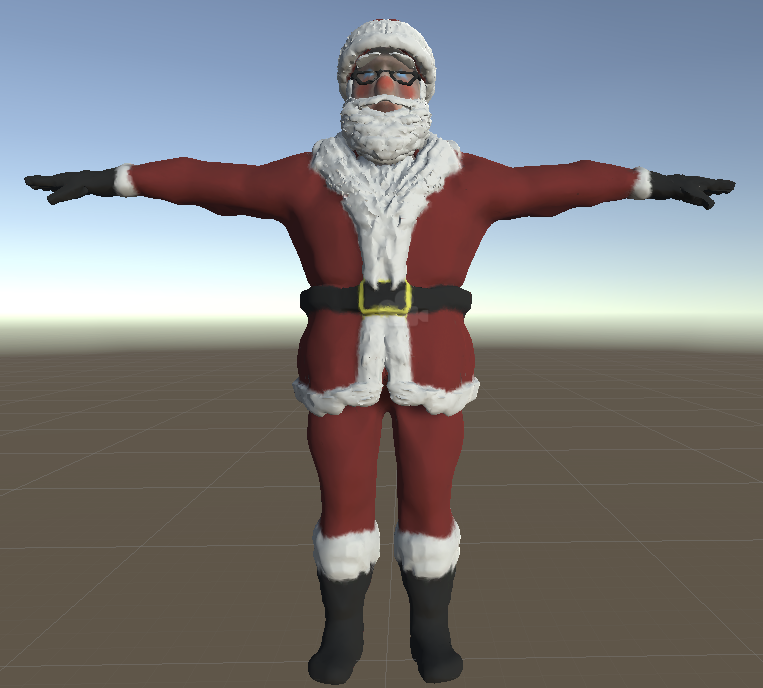
5 Animation Pipelines for Unity
5 Animation Pipelines includes the entire 4 Unity Animation Pipeline project, plus new sections covering LightWave 2018, Unity 2018, Substance Painter 2018, Glycon, the Mechanim Humanoid animation system in Unity, and example files for each. Phil Nolan goes into detail building a house model from scratch using LightWave 3D 2018 and LWCad 5.2. This tutorial assumes you know the basics of LightWave 3D and will go further, getting you into using CAD based tools inside LightWave. You'll start with included background images to work from and build the house level by level including the interior walls, stairs, windows and doors, a deck, and even a roof with modeled shingles! LWCad has a ton of features and this will get you started working with them quickly.
![LightWave 2018- Volume #4- Surfacing I- Prinicpled BSDF [AG]](https://www.liberty3d.com/wp-content/uploads/2018/12/LW_2018_Vol_4_Product_Box_400pix.jpg)
In this fourth volume of 12 volumes 3D Instructor Adam Gibson will not only show you how to get up and started surfacing your 3D models in Lightwave 2018 but will also introduce you to some the new powerful features. A great place to start for beginner Lightwave Users.
FREE Bonus Content: Premade 3D Practice Models (in Lightwave 3D (.lwo) format. Running Time: 3 hrs. 24 mins., High Quality (Screen-Res 1920 x 1080 pixels), Video Format: MP4 (.mp4), Level: Beginner
"The Commonwealth Ships"
Three "Earth Fleet" ships, specifically those from the British Common Wealth as we referred to them on the show are included in Iron Sky Model and Scene Pack Volume 2. You get some really awesome craft in this one!
The British "SpitFire", the Australia "Rooketer" (roo as in kangaroo) and the Canadian "CanadArm3". Each of which includes their appropriate volumetric engine set-ups and feature animated moving parts with the exception of the CanadArm3 ship which didn't have any moving parts. These are all "Hero" models, meaning they were the ones used for close up shots and later the base for downres or proxy objects used for shots where they appear in the distance or for previs. These models are an essential starting point to the series of packs being released later where entire shots will be made available to LightWave3D users with the goal of pretty much the entire work done in LightWave3D for the original film, being released. 4K, 6K and even 10K resolution texture maps are included where applicable, matching exactly the way they were used on the show.
After 7 long years, Liberty3D.com is proud to announce the availability of the Iron Sky LightWave3D assets library. Kat has opened up the “vault” and begun to prep each of the main Earth and Moon NAZI ships featured in the first film. These are not baked down, neutered versions of the originals. They ARE the originals! Used in the show!
Initially produced using LightWave 10.1 and early beta versions of LighWave 11, all of the scenes have been pulled forward to LightWave 2015.3 for maximum compatibility. LightWave users from LightWave3D 9.6 to LightWave3D 2015.3 can load these scene files up along with the objects almost by default. Only two 3rd party plug-ins are required; DP Kit and DP Light which are both free to download and use. DB&W’s Material Booster Node may be required for some scenes to load correctly but is not required should you not have it. It is optional but we encourage you to support DB&W by picking up their tools.
LightWave3D 2018 Compatibility is not entirely possible (at least out of the box) due to the massive changes in the rendering, shading and lighting systems in the new versions of LightWave3D. However, Kat is working on that. Most of the basic surfacing will come in with some adjustments using the emulated “layer” system but really it should be rebuit for the new PBR technology in LightWave3D 2018 and beyond. The lighting on the ships, specifically the volumetric lighting systems such as those for the engines of most craft will also have to be adapted to the new render and volumetric technology in Lightwave3D 2018.
These incredibly rare and detailed assets represent thousands of hours of effort to produce and we are offering them exclusively to the LightWave3D community in their original form as an educational initiative. LightWave3D users new and old can study them and learn while also adapting them to their own scenes or making use of them as they see fit for their own reasons. Kat is granting a limited license for use by individual users of LightWave3D and options for commercial use as well.
Several packs are planned and in the works. First up is Iron Sky Model and Scene Pack Volume 1.
Iron Sky Model and Scene Pack Volume 1.
Three iconic ships are included in Iron Sky Model and Scene Pack Volume 1. The USA’s George W. Bush, the Moon NAZI “Tanhauser” Zeppelin and the Moon NAZI Valkyrie. Each of which includes their appropriate volumetric engine set-ups an in the case of the Valkyrie the volumetric gun system which are able to be animated and aimed for firing. These are all “Hero” models, meaning they were the ones used for close up shots and later the base for downres or proxy objects used for shots where they appear in the distance or for previs. These models are an essential starting point to the series of packs being released later where entire shots will be made available to LighWave3D users with the goal of pretty much the entire work done in LightWave3D for the original film, being released. 4K, 6K and even 10K resolution texture maps are included where applicable, matching exactly the way they were used on the show.
![LightWave 2018 Bundle- Volumes #1,2,3 [AG]](https://www.liberty3d.com/wp-content/uploads/2018/10/Lightwave_2018_Bundle_Vol_123_JPEG.jpg)
This bundle includes Lightwave 2018- Volumes #1,2,3 by 3D Instructor Adam Gibson and also includes the same Bonus Content Included if you purchased the volumes separately. Contains 10 hrs. and 53 mins. of Lightwave 2018 training!! Free Bonus Content: Mega Dinosaur Pack-40 Dinosaur 3D Models (Reg. Price $49.95 US).
Kat is back with another installment of the Fusion for LightWave (2018) Artists series!
Now in Volume VII (7), Kat walks you through a different workflow that will allow for extremely fast compositing build outs in Fusion 9.02. This method provides artists with an easy way to tackle very complex sets of render passes with multiple buffers in each pass being used, to bring together a photorealistic, real-world VFX shot (although a test) working with the complete footage and asset package from his upcoming short film, "The Exchange".
With over 21GB of additional support materials which include the renders from Lightwave 2018 as well as the footage shot using a RED Scarlet (optional download), the scene and object files, the Fusion comp work-up files and of course the video recordings (primary product download), everything is ready for you to play with, take apart and study. Everything is included. At roughly 266 minutes or just under 4.5 hours in length, this video is jammed packed with helpful workflow techniques for LightWave artists getting into Fusion, working with the new PBR render engine output from LightWave3D 2018 and the "additive/normal" blending mode compositing formula process.
![Advanced TurbulenceFD Concepts and Projects: Propulsion [KAT]](https://www.liberty3d.com/wp-content/uploads/2018/07/PACLauncherExample_R03.jpg)
In this video Kat shows you how to create two separate types of propulsion effects using TurbulenceFD for LightWave3D. First up, a PAC-3 Missile launcher effect is produced using a freely available model (included) of a Patriot missile battery system. Second, an afterburner effect similar to that which you would see on an F-18 combat fighter jet. Kat takes it further though by showing you how to convert TurbulenceFD's native BCF cache data file to OpenVDB so they can be used with LightWave2018's OpenVDB volume object primitive and rendering system or for use with external rendering solutions such as Octane.
With the first project having a run time of almost 120 minutes and the second at approximately 45 minutes this tutorial is jammed packed with useful information for TurbulenceFD users looking to create effects beyond simple smoke or fire while remaining a "get in, get it done and get out" educational experience.
Complete project files and work ups are included so you can follow along.
![LightWave 2018- Volume #3- Getting Started III [AG]](https://www.liberty3d.com/wp-content/uploads/2018/10/LW_2018_Vol_3_Product_Box_400pix.jpg)
In this third volume of 12 volumes 3D Instructor Adam Gibson will not only show you how to get up and started using Lightwave 2018 but will also introduce you to some the new powerful features.
A great place to start for beginner Lightwave Users.
Some of the Topics Covered: 1) Backdrop Color 2) Gradient Backdrop, 3) SkyTracer 2 Introduction & Basics, 4) Backdrop Images, 5) Spherical Light, 6) Primitive Light
*FREE Bonus Content: 1) Free Dinosaur Mega-Pack (Reg. $49.00 US), 2) Free Posed Alien Model.
In his latest LightWave3D 2018.x video, Kelly "Kat" Myers returns with a great project based title - Practical Production Techniques Vol. 11 - Project Car Commercial.
This tutorial is awesome for LightWave3D users who want to know more about how to create a commercial (in this case for a Chrysler 300C) using LightWave3D 2018.x, working with an older asset and updating it to Physically Based Rendering materials, quickly applying native presets in the new shading system to achieve photo-realistic results easily. But this tutorial goes way beyond that as Kat shows you how to rig up a steering assembly and proper wheel rotation system that is lightweight and easy to use. In addition, he also demonstrates how to quickly set up volumetric lights for headlights that look great and are accurate using the new volumetrics system while showing you how to light the car as well.
Going even further, however, Kat takes you into the world of previs by setting up multiple cameras for a "commercial" setting, animating them using principles found in cinematography and then working with BMD Davinci Resolve to quickly cut together the preview renders into a 30-second car commercial. From there, quick work is made of translating the edit back to LightWave3D for the final scenes and then eventual render so that you understand the process of how previs gets made into a final edit and what factors into the final requirements for an editor as part of the workflow process that LightWave artists will face in the real-world.
This video is just shy of 330 minutes long but takes you from end-to-end using a freely downloadable car from http://www.dmi-3d.net/ and flows across 22 video segments
Kelly "Kat" Myers is back once again with the first LightWave 2018 specific tutorial in the Fusion for LightWave Artists series.
In "Fusion for LightWave (2018) Artists - Vol. 6" Kat breaks down a huge amount of information regarding the new AOV (Arbitrary Object Value) buffer system in LightWave3D 2018. This 11 part video tutorial contains information not covered in Kat's previous videos in this series or any of his other titles to date.
Areas covered include the new coverage buffer and how to make use of it in Fusion and the power of masks. Learn how to relight objects using Normals saved from LightWave3D 2018 while getting up to speed on how to compositing using material generated from the new shading and rendering engine to achieve true, "back to beauty" results exported from exrTrader 2018 and showing how the buffers correspond to the native buffer saving system. Kat takes it even further however with demonstrating different uses for the shadow buffer that many artists unaware of.
Learn about the power of Light Groups in LightWave 2018 and how to properly composite them together and why this functionality is so important to the CG pipeline process.
Using just a single render pass with buffers, Kat builds out a composite in Fusion that will blow your mind as to what can be achieved in the compositing process!
At a runtime of approximately 333 minutes, this title is an essential "must have" for anyone who is looking to take the next step into advanced VFX work using CG imagery from LightWave3D 2018 as well as many other packages that produce AOVs.
In Fusion for LightWave Artists Vol. 5 - "Curse of the Phantom Shadow", Kelly "Kat" Myers takes you through a CG+Live action footage mixed VFX shot from the short film by Mark Ross. This tutorial is rather advanced but even first time users of Fusion can benefit from this title and the massive amount of information that Kat passes onto you while he builds out the composite in Black Magic Designs Fusion 9.02
Every LightWave artist needs to learn how to composite CG footage into a live action shot and this title is a perfect way to get into doing exactly that. But more importantly, is learning how to deal with footage that is not of the best quality, as Curse of the Phantom Shadow was shot on a first generation Panasonic Lumix GH1 Camera at 720p in 4:2:0 MPEG format on a shoe-string budget in Mark Ross' living room. This is where Rotoscoping comes in and some creative problem solving is needed. Rotoscoping is an essential skill all compositors must have in their tool belt and Kat shows you how to work with Rotosplines for masking of shot video as well as still photographic elements and where and how to make use of them correctly in matte control and keying tools. Corner positioner and lens distortion tools are also discussed as they are used in the comp in rather creative ways to compensate for the way the material was shot in order to get it to "line up" with the CG rendered portion produced in LightWave3D.
On the CG elements side of the comp workflow demonstrated in full in this video title, Kat shows you how to take a single render pass from LightWave3D rendered with several basic buffers (provided through exrTrader although LW's native solution works just fine) into Fusion and create bitmap masks for use on Surface/ObjectID tagged portions of the rendered image sequence to isolate them for further independent adjustment. STOP TRYING TO GET EVERYTHING PERFECT IN CAMERA! Do it in comp! Save time by making use of LightWave's render buffer technology and Fusion's ultra-powerful compositing engine, leveraging them both to your advantage and making you a better VFX artist as a result.
In this tutorial with an approximate runtime of 165 minutes, Kat takes the shot from "Zero to Hero" and you can follow along every step of the way. Provided as an optional download of just over 4GB of bonus content, the rendered image sequence, live-action blue screen footage and photographic elements as well as the Fusion Flow Comp files used to create the final shot are included. As an extra bonus, for those of you with After Effects and Optical Flares from Video Co-pilot is also provided. This is for a small final element requested by the director to finish off the shot.
Kat is back with a new installment in the TurbulenceFD Advanced Concepts and Projects Series. This time in “Project Engine Fire”, Kat shows you what goes into setting up a WWII era USAF B-25 with an engine fire effect.
This is a real-world shot from the upcoming feature-film (direct-to-video) “Behind the Lines” which is currently in post-production. With a run time of approximately 105 minutes, you get all the info you need to recreate such an effect using LightWave3D (works in 2015.x and 2018.x) and TurbulenceFD from Jawset.com
You also get the renders and the Fusion composite flows from Kat for this project so you can play with the render results instead of having to render out things on your own (which can take a wee bit of time). Don’t worry though, if you want to play around with things in LightWave3D and tweak settings and sim things for yourself, we have you covered there, too. The basic geometry and the scene files are included so you have everything you need to follow along and get the exact results you want using the provided materials as a guide!
You get almost 4GB of content and learning material, ready to go for just $24.95USD
![LightWave 2018- Volume #2- Getting Started II [AG]](https://www.liberty3d.com/wp-content/uploads/2018/10/LW_2018_Vol_2_Product_Box_400pix.jpg)
In this second volume of 12 volumes 3D Instructor Adam Gibson will not only show you how to get up and started using Lightwave 2018 but will also introduce you to some the new powerful features. A great place to start for beginner Lightwave Users. Some of the Topics Covered: 1) Autofit Items, 2) Parenting Scene Items, 3) Cloning Scene Items & Hierarchies, 4) Keyframing Basics for Animation, 5) Glow Filter, 6) Volumetrics Lights Node Introduction, 7) New Lightwave 2018 Light Features!! FREE Bonus Content: 1) Environment Maps- Volume #1 (40 Environment Maps)- 4096 x 2048 pixels, 2) Environment Maps- Volume #2 (10 Environment Maps)- 4096 x 2048 pixels.
A pre-configured platform to rapidly build an augmented reality app around your 3D models.
Phil Nolan walks you through the finer points of creating a character in Adobe Fuse and how to export and make them work in LightWave3D (2015.3 and prior). This is a great tutorial for artists who want to dabble in Character Animation without having to drown themselves in the process with creating custom rigs or sets ups. Adobe Fuse does it for you while working with Miximo for adding animations to the characters you create! This is complete tutorial providing end to end project details so you are up and running fast!
Augmented Reality Showcase construction kit for Android, using LightWave 2018, Unity3D, and ARCore.
![LightWave 2018- Volume #1- Getting Started I [AG]](https://www.liberty3d.com/wp-content/uploads/2018/10/LW_2018_Vol_1_Product_Box_400pix.jpg)
In this first volume of 12 volumes 3D Instructor Adam Gibson will not only show you how to get up and started using Lightwave 2018 but will also introduce you to some the new powerful features. A great place to start for beginner Lightwave Users. Some of the Topics Covered: 1) User Interface Basics, Viewports, Image Editor, Importing Models, Item Animation Tools, PBR (Spec/Gloss & Metallic) Node Basics, VDB Import, Volumetric Primitives, Shape Primitives, Buffer Drop Down List, Surface Noise Removal, Creating an Asteroid, Making Rocky Terrains, and Render Basics. Running Time: 4 hrs. 23 mins., High Quality (Screen-Res 1920 x 1080 pixels) , Video Format: MP4 (.mp4), Level: Beginner.
Topics Covered: 1) User Interface Basics, Viewports, Image Editor, Importing Models, Item Animation Tools, PBR (Spec/Gloss & Metallic) Node Basics, VDB Import, Volumetric Primitves, Shape Primitives, Buffer Drop Down List, Surface Noise Removal, and Render Basics. Running Time: 4 hrs. 23 mins., High Quality (Screen-Res 1920 x 1080 pixels) , Video Format: MP4 (.mp4), Level: Beginner.
Augmented Reality introduction for iPhone and iOS devices, using LightWave 2018, Unity3D, and ARKit.
![TFD for LightWave3D - Conventional Weapons Pack [KAT]](https://www.liberty3d.com/wp-content/uploads/2017/12/TFDCWP_TankExample.jpg)
The long-awaited Conventional Weapons Pack for TFD for LightWave3D Volume 1. is now available!
Check it out...
Priced at just $39.95 this package is a great deal.
Over 40 individual and unique examples plus the work up files are included in this pack and that's less than a dollar per scene. Most are render/sim ready for you to load up and make use of as you see fit in your own scenes.
Included in this package are scene file folderscontaining the scenes categorized ccording to the type of explosion or effect. Description of their contents listed as follows:
- Abrams (Tank cannon barrel demo example)
- FlakBursts (Ranging in style from conventional Anti-Aircraft flak guns to "Galactica style" flak, even though that was all done with HVs. A total of 11 are included plus the work up files so you can learn from them and the process that went into creating them)
- FlashBang (Simple flash bang example, simply add your own point or spherical light in the center of the detonation, animate it to go "Off" with the explosion and you are good to go! BREACH! BREACH!)
- Grenades (Fragmentation type although your interpretation of that may vary. These can easily be repurposed for RPG impacts or other weapons).
- IEDs (Five IED examples constructed from reference material of real combat video from Iraq and Afganistan. These range from small to hurt locker level.)
- LandMines\Anti-Personnel (Similar to the IED examples, these are also built from reference video from actual combat and are built off of two real-world mine types that are anti-personnel in purpose. M-14AP and M-16AP mines are standard US arsenal mines and used by militaries around the world. They can be used any way you see fit though so don't limit your imagination. 11 mines are included in this package.)
- Smoke Grenades (Several smoke grenades are included in this package which includes one for tear gas, RGB colors each and a basic generic setup as well.)
MP4 videos have been included for easy reference and can be found in the "Renders" folder.
They are listed as follows:
FlakBurst_One_R03
FlakBurst_Two_R02
FlakBurstEight_R02
FlakBurstEleven_R02
FlakBurstFive_R01
FlakBurstFour_R01
FlakBurstNine_R02
FlakBurstSeven_R02
FlakBurstSix_R01
FlakBurstTen_R01
FlakBurstThree_R01
FlashBang_R01
FragementationGrenadeThree_R01
FragementationGrenadeTwo_R01
FragmentationGrenade_R01
FragmentationGrenadeThree_R02
FragmentationGrenadeThree_R03
IED_Five_R03
IED_One_R01
IED_Four_R02
IED_Three_R03
IED_Two_R10
M1AbramsTank_BasicSetUp_R09
M-14AP_Mine_Five_R02
M-14AP_Mine_Four_R02
M-14AP_Mine_R04
M-14AP_Mine_Six_R01
M-14AP_Mine_Three_R01
M-14AP_Mine_Two_R01
M-16AP_MineFive_R01
M-16AP_MineFiveR01
M-16AP_MineFour_R01
M-16AP_MineOne_R01
M-16AP_MineOneB_R01
M-16AP_MineThree_R01
M-16AP_MineTwo_R01
M-16AP_MineTwoB_R01
SmokeGrenade_Green_R01
SmokeGrenade_TearGas_R01
SmokeGrenade_Two_R01
SmokeGrenadeBlue_R01
SmokeGrenadeOne_R03
SmokeGrenadeRed_R01
![LightWave 2015- Getting Started in FiberFX- Volume #1 [AG]](https://www.liberty3d.com/wp-content/uploads/2018/10/LW_2015_FiberFX-Vol_1_400pix.jpg)
Hey Kids!! Things are about to get very Hairy!! and Furry!! In this four volume training series 3D Instructor Adam Gibson will show you how to add Hair, Fur, Grass, and other cool Fibrous detail to your 3D Characters and 3D Models using Lightwave 3D's powerful Fur & Hair System!! FiberFX is a fairly deep package with a lot of great features/options. Lots of Buttons and Controls to tackle. With that being said it can very scary and confusing to get started without getting lost or frustrated. This four volume course is specifically designed to help beginner 3D students get started quickly through easy to follow tool-based and small project-based video chapters!! FREE Bonus Content: 3D Practice Character Models are included in the digital download. *(Free Tiger, Elephant, Rhino, Human Female and Puff-Ball character models included!!) Learn the tools to make all sorts of traditional, wild and messy hairdos!! Easily create that "Bed-Head" look!!
![LightWave 2015 Bundle Pack (12 Volumes) & Bonus Content- [AG]](https://www.liberty3d.com/wp-content/uploads/2018/10/Lightwave_2015_Vol_1_to_12_Bundle_Dino_Pack_JPEG.jpg)
This Lightwave 2015 Bundle Pack includes 12 Volumes on various Lightwave topics by 3D Instructor Adam Gibson. Products Included in the bundle: Lightwave 2015- Volume #1-Getting Started I, Lightwave 2015- Volume #2-Getting Started II, Lightwave 2015- Volume #3-Getting Started III, Lightwave 2015- Volume #4-Getting Started IV, Lightwave 2015- Volume #5-Getting Started V, Lightwave 2015- Volume #6-Getting Started VI, Lightwave 2015- Volume #7-Particles & HyperVoxels I, Lightwave 2015- Volume #8-Particles & HyperVoxels II, Lightwave 2015- Volume #9-UV Mapping, Lightwave 2015- Volume #10-Surfacing, Lightwave 2015- Volume #11-Character Rigging for Beginners, Lightwave 2015- Volume #12-Modeling for Beginners, Dino 3D Model Pack, Creature Eyes Pack, & 100 Sci-Fi Alpha Brush Collection- Volume #1.
![LightWave 2015- Volume #12- Modeling for Beginners [AG]](https://www.liberty3d.com/wp-content/uploads/2018/10/Lightwave_2015_Vol_12_Product_Box_400pix.jpg)
This course is designed specifically for those who are beginners in 3D modeling and also for those who may have had some difficulty in understanding the concepts of 3D modelling.
Lightwave has a massive set of great modeling tools but most beginners are overwhelmed and don't know where to start.
In this video training course 3D Instructor Adam Gibson takes you through the most important modeling tools to get you up and running fast for your own projects.
Polygonal and Sub-D Modeling tools/concepts will be a covered along a with a full project-based creature modeling journey from concept art to a finished modeled beast.
Tips and tricks on how to quickly Sculpt and Shape Sub-D Body Parts (Torso, Arms, Legs, Claws, Tails, Heads, Teeth), Importing Reference Concept Art, Mastering the Use of Basic Tools (Move, Rotate, Drag, Stretch, Knife Tool, Band-Saw Pro, Extender Plus).
*Bonus: Content Folder Included that contains the Creature Model files and Reference Concept Art from the video tutorial.
Running Time: 14 hrs. 5 mins.,
High Quality (Screen-Res 1920 x 1080 pixels),
Video Format: MP4 (.mp4),
Level: Beginner.
Kat is back in another installment of his TurbulenceFD for LightWave3D series with "Advanced TurbulenceFD For LightWave3D - Masks and Fuel Masks".
Running approximately 182 minutes, this video features great tips on how to take advantage of TurbulenceFD's Fuel mask functions. One of the big "secrets" to making your scenes with TFD shine is to provide TFD's simulation engine with more variables. Learn how this makes a huge difference when going for high-end looks of fire and smoke that moves naturally but controlled in any way you want.
Featuring 5 example scenes that you can breakdown and then apply the techniques in your own shots, "Advanced TurbulenceFD For LightWave3D - Masks and Fuel Masks" is a great value to anyone looking to step up their game with TurbulenceFD and or need ideas of how to go about taking what they have learned so far in the series and rounding out their knowledge so they can take on any challenge head-on.
Character rigging is faster and easier than it has ever been, Current Rigging Concepts teaches the entire character rigging workflow in a single convenient learning product.
Kat has put together 10 of his Practical Production Techniques videos into a super bundle!
Get up to speed fast on everything from surface baking to polygon reduction for games and VR/AR production as well as how to construct your shots for big space battles or mysterious nebula scenes and much much more in this bundle for a great low price!
Here is a list of the videos you get!
Practical Production Techniques Vol. One
Practical Production Techniques Vol. Two
Practical Production Techniques Vol. Three
Practical Production Techniques Vol. Four
Practical Production Techniques Vol. Five
Practical Production Techniques - Vol. 6 Advanced Surface Baking
Practical Production Techniques - Vol. 7 Advanced Surface Baking Part II
Practical Production Techniques - Vol. 8 Capital Ship Combat Techniques
Practical Production Techniques - Vol. 9 Polygon Reduction
Practical Production Techniques Vol. 10 - Project Smoke Monster
![Adam's Crazy (Summer 2017) 3D Bundle Pack [AG]](https://www.liberty3d.com/wp-content/uploads/2017/06/Adams_Crazy_Summer_2017_3D_Bundle_JPEG.jpg)
This Massive 3D Bundle contains: Lightwave 2015 Bundle Pack- (Volumes #1 to #11), DDO for Lightwave Users- Bundle Pack (Volumes #1 to #7), 3d Coat 4 Ultimate Bundle- 23 Volumes, Substance Painter for Lightwave Users Bundle- Volumes #1 to #8, Sci-Fi Alpha Brush Collection Volumes #1 & 2, Dinosaur Mega-Pack.
![Lightwave 2015 Bundle Pack- (Volumes #1 to #11)- [AG]](https://www.liberty3d.com/wp-content/uploads/2017/06/Lightwave_2015_Bundle_Vol_1_to_11_JPEG.jpg)
This Lightwave 2015 Bundle contains: Volumes #1 to #11 and Bonus Content.
Fusion for LightWave Artists: Volume 4 - Curse of the Phantom Shadow
Award winning VFX artist and CG Supervisor, Kelly "Kat" Myers is back in his latest installment in the Fusion for LightWave Artists series.
This time Kat walks you through a real-world production shot from the low-budget 30+ minute short film written and directed by Mark Ross; "Curse of the Phantom Shadow"
With over 396 VFX shots in the current edit of the film, the daunting challenge of completing the task at hand is met through the use of LightWave3D and Fusion!
In this tutorial, Kat demonstrates how one can employ creative uses of volumetrics supplied by LightWave3D natively as well as via TurbulenceFD From Jawset.com and mix them together in Fusion 8 in a way that "sells the shot".
It doesn't stop there, however! Kat also demonstrates where the use of LightWave's PRMB is essential vs. the use of Vector-Based motion blur in post, and what to do if you ever have to "mix and match" in a compositing program like Fusion.
If you have enjoyed the previous installments of Fusion for LightWave artists, then you are for sure going to want to grab this title as you can follow along with Kat as he breaks down the composite that made up the final shot and continues on improving it!
Kat also discusses how you can ensure that 'WYSIWYG' for input and output when working with LightWave's Linear Color Space workflow and how Fusion's LUTs should be used with sRGB rendered material.
Exclusively available from Liberty3d.com, Fusion for LightWave Artists: Volume 4 - Curse of the Phantom Shadow, includes the entire render results used in the tutorial. You can practice the techniques demonstrated by Kat without having to render a single frame out of LightWave! He's done that for you and the renders are included as a secondary download aside from the tutorial video so you can watch right away as the downloads for the renders come across to you in the background if you choose!
Practical Production Techniques Vol. 10 - Project Smoke Monster!
Kat is back with another installment in the highly popular Practical Production Techniques series. In Volume 10, Kat walks you through an entire shot featuring a Daz3D character model, taking the asset from Daz3D into LightWave, surfacing it using the maps from the asset, setting it up with animation applied via MDD, transferring in TurbulenceFD settings from another scene, lighting the character using some nifty tricks for realism in a photographic plate and then compositing the rendered results in Fusion.
With a runtime of almost 4.5 hours, this tutorial is jam-packed with lots of great tips and techniques pulled from Kat's experiences in production. The tutorial includes the rendered image files so you can follow along in the compositing process in Fusion or even AE and Nuke. You also get the scene files saved at every step along the way. Not included is the model which is a commercial asset but retails for 25 dollars on Daz3d.com and can be easily substituted for a character of your own design or any other Daz Character you may have laying about.
![LightWave 2015- Volume #11- Character Rigging for Beginners [AG]](https://www.liberty3d.com/wp-content/uploads/2019/08/Lightwave_2015_Vol_11_Product_Box_400pix.jpg)
This massive Character Rigging Course is designed specifically for beginner 3D students who have never rigged a character in Lightwave or any other 3D package. Basic rigging concepts and principles are shown to get you up and started fast allowing you to be able to easily pose and control your characters movements with Lightwave's powerful rigging toolset. In this highly detailed course a Human Biped Character will be rigged using Lightwave's traditional rigging toolset first and then using the Genoma 2 Bi-Ped Rig (Lightwave's Auto-Rigging System). Learn how to Use and Download 2 pieces of "Free Character Creation Software" so that you can build thousands of you own detailed characters of all shapes and sizes that you can export and use in your Lightwave projects. Topics: Preparing your Models, Traditional Rigging Tools, Genoma Rigging, Bone Tools, Skelegons, Weight Maps, Facial Morphs (Endomorphs), Export/Import of DAZ Studio Characters, Export/Import of Make Human Characters, Surface Editing, Character Creation in DAZ Studio/Make Human Software, Saving Rig Presets, Inverse Kinematics (IK), Arm/Foot/Head/Eye Controls, Muscle Flexing/Joint Compensation. Also learn how you can import and use beautiful DAZ 3D Characters in Lightwave 3D. *Note: This course is not recommended for advanced-level or experienced rigging artists. *Bonus: Content Folder Included containing Scene, Model files, and Printable Pin-Up Notes/Diagrams from the tutorials.
![Substance Painter for Lightwave Users- Volume #8- Sci-Fi Vehicle Detailing II- Paint Tools & Materials [AG]](https://www.liberty3d.com/wp-content/uploads/2018/10/SP_for_LW_Users_Vol_8_Product_Shot_400pix.jpg)
Substance Painter for Lightwave Users- Volume #8- Sci-Fi Vehicle Detailing II- Paint Tools & Materials [AG]
In this eighth volume of Substance Painter for Lightwave Users 3D Instructor Adam Gibson demonstrates how to detail a Sci-Fi Dropship with Materials and Paint Tools. Learn how to add amazing amounts of incredible detail to your 3d models in a short of amount time!! Table of Contents for Volume #8: Chapter 1- Intro, Chapter 2- Project Set-Up Explained, Chapter 3- Input Map Baking Order, Chapter 4- Importing and Baking Input Maps, Chapter 5- Adding a Base Metal and Paint to the Dropship, Chapter 6- Color ID Mask and Metal Edge Wear Generator, Chapter 7- Red Panel Painting, Chapter 8- Layer Blend Mode, Chapter 9- UV Seam Correction Techniques, Chapter 10- Tinted Glass and Poly Fill Mask Tool, Chapter 11- Stamping Symbols and Text Alphas on your Model, Chapter 12- Dirt Layer, Chapter 13- Exporting Final Textures from Substance Painter, Chapter 14- Texture Set-Up in Lightwave, Chapter 15- Final. Running Time: 3 hrs. 9 mins., High Quality (Screen-Res 1920 x 1080 pixels) , Video Format: MP4 (.mp4), Level: Beginner.This plugin/video content bundle provides users a way transport high quality daz3d models into Lightwave, and utilize the entire CMU motion capture database (free) in a single click.
Ryan covers all the bases to get you up and running quickly using the Octane renderer in Lightwave. (Available now. Sales page and promo video are in progress).
Advanced LightWave3D Modeling Projects - Chevy Impala Car Model
Lewis3D (Elvis)
Get this complete project and model a 1958 Chevy Impala using spline patch modeling techniques. Lewis takes you through the entire process from start to finish including the set up of modeler to make the most efficient use of your time by placing the most often used tools in front of you for easy access.
With 68 Chapters in total running just over 37 hours this tutorial will turn you into an expert Lightwave modeler!
No details are left untouched, everything from modeling the base body right down to the headlights and Chevy logo are covered in full. If you have always wanted to take your modeling to the next level but were unsure where to start then this is the tutorial for you. While not entirely intended for beginners, this tutorial will take someone from a basic knowledge of LightWave Modeler or any other modeling package and through the process of each step, teach you the tools needed to create awesome cars, trucks, planes, you name it.
A full collection of reference images necessary to build with are included.
In part III of Fusion for LightWave Artists, Kelly "Kat" Myers breaks new ground in the series as he walks you through a complete shot to recreate a news broadcast style "playback" element using the assets from Iron Sky. SyntheyesTrackingMany years ago, Kat worked for a company that specialized in this area of film and television effects production working with Fusion and LightWave to produce video playback that would be used on set. This tutorial goes from start to finish including the tracking in Syntheyes of a plate shot using an everyday smart phone (in this case a Samsung Galaxy Note4), prepping the resulting footage for efficient use in Layout while getting the Iron Sky Valkyrie UFOs into the shot. From there this project takes a bit of a different turn as Kat demonstrates how to track elements in 2D using Fusions precise tracking tools and how to attach masks to these tracks providing for additional control of your composite. LightWave3DISValksThe tutorial finishes off with the introduction of several effects tools that you can use to "fake" broadcast TV interference or replicate the appearance of conventional television footage.
Learn how to deal with noisy "tracks" from a 3D tracking program by working with the data in Layout's graph editor while at the same time knowing what you can get away with due to the nature of the final target element. There are several tricks and tips in this tutorial that you simply will not find anywhere else covering an area of VFX creation that is rarely discussed if at all by visual effects artists.
With an approximate run time of 3.7 hours, Fusion for LightWave Artists Part III is a great companion title to the previous two parts in the series. With 20 video segments and all of the content included for you to follow along, this title is a must have for LightWave artists working with Fusion in their production work flows no FusionTrackingTwomatter what the tasks you may face. Visual Effects artists are sometimes asked to do some pretty odd things and creating "playback" for on-set shooting use is one of these odd ball jobs you are going to come across.
Do you need clouds in your shot? Hypervoxels got you down? Skytracer not cutting it?
No problem!
With "TFD Advanced Concepts and Projects - Clouds", learn how you can get awesome looking cloud formations that you can produce quickly with maximum control over their shape and appearance while rendering extremely fast compared to any other solutions available for LightWave3D.
Jawset's Turbulence FD for LightWave is the key! Award winning CG supervisor and VFX artist, Kelly "Kat" Myers walks you through the process of creating photorealistic cloud formations in this 3.6 hour 13 part tutorial specifically aimed at VFX artists who need to produce clouds for their shots.