




Mimic
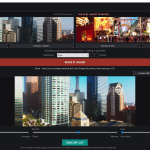
Mimic doesn’t just slap the reference film’s LUT onto your footage. It watches the whole reference – sampling frames across the full run – measures your footage the same way, and builds an original LUT matched to your material, in both directions: your footage to the film, or the film’s world to yours.
What it reads
- Real production files: ProRes 422 and 4444, DNxHR, H.264 / H.265, FFV1, AV1 – 8, 10 and 12-bit sources, any of the 4K variations, any aspect ratio.
- Short plates and elements are fine – even sub-second clips sample properly.
- Frame folders: PNG and JPEG, 16-bit PNG and TIFF, DPX, EXR, WebP and JPEG 2000.
- Everything is processed on your own computer. Your footage never leaves your machine.
Controls that stay out of your way
- Sampling: Auto, Quick 40, Standard 75, Deep 200, or Custom (25-400 frames) – more frames for long films, fewer for a fast pass.
- Finish-it sliders: Softer/Stronger, Cooler/Warmer, Less/More Faded – composed into the LUT you save.
- Scopes, built in: waveform (RGB parade), histogram and vectorscope float over the preview while it plays, so you can judge with instruments, not just eyeballs.
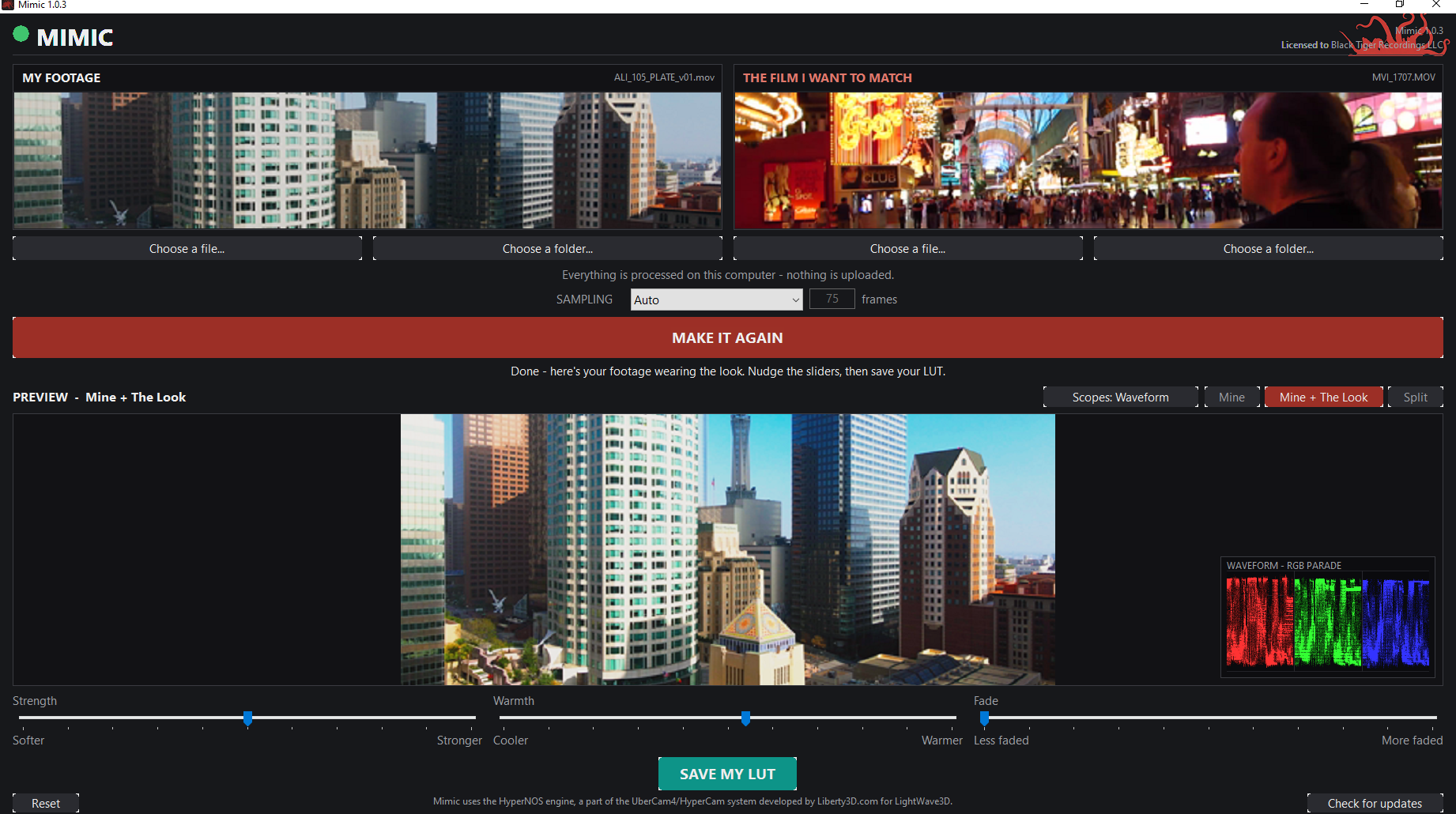
- Reset button: a bad file or a stuck job never means restarting the app.
- Check for updates built in – Mimic tells you when a new version is ready.
What you get
A standard .cube LUT that loads anywhere LUTs load – DaVinci Resolve, Premiere Pro, LightWave (through the Sensor / HyperLook), and more – plus a recipe file recording how the look was built. Every LUT carries its creator stamp from your license automatically.
Your LUTs are yours: use them in your own projects, including commercial work, with no royalties. Building LUT packs for resale is the one thing the license reserves to Liberty3D – see the EULA in the installer.
Good to know, honestly
- Windows PC. Activation needs an internet connection once; after that Mimic works fully offline.
- The installer is unsigned, so Windows SmartScreen will ask once – “More info”, then “Run anyway”. The install guide walks you through it.
- Mimic works in SDR / display-referred space. HDR clips (PQ / HLG) will load, but there is no HDR tone mapping in this version.
- ProRes RAW is not supported – no third-party decoder for it exists. Every regular ProRes flavor is fine, no Apple software needed on your PC.
Support: support@liberty3d.com