(SALE EXTENDED! Coupon is: L3DChristmasSale2025 – Now good until January 10th)
Don’t get lost on the way back from the north pole!
Season’s Greetings from your friendly citizens of Liberty3d.com. We hope everyone is doing well, getting eggnog, and staying warm this Christmas.
Looking back over the last year, we have had a lot of exciting developments take place in LightWave land. 2025 hit and we were greeted with several new tools and patches along the way. This year coming up promises to be rather special with LightWave3D 2026, entering Open Beta sometime in January or early February. We will be right there with you as we upgraded our seats during the Black Friday special that LightWave Digital was running for a bit. It’s a great time to catch up on things over the holiday, and we have some great tutorials for you.
Here are some products you might have missed recently. Make sure you check them out along with our entire catalog and fill any holes that you might have. More tutorials are on the way, but while Santa gets sorted and you are standing by, check out the latest and greatest and some classics out at 30% off using the coupon code: L3DChristmasSale2025
Have you seen these recent titles yet?
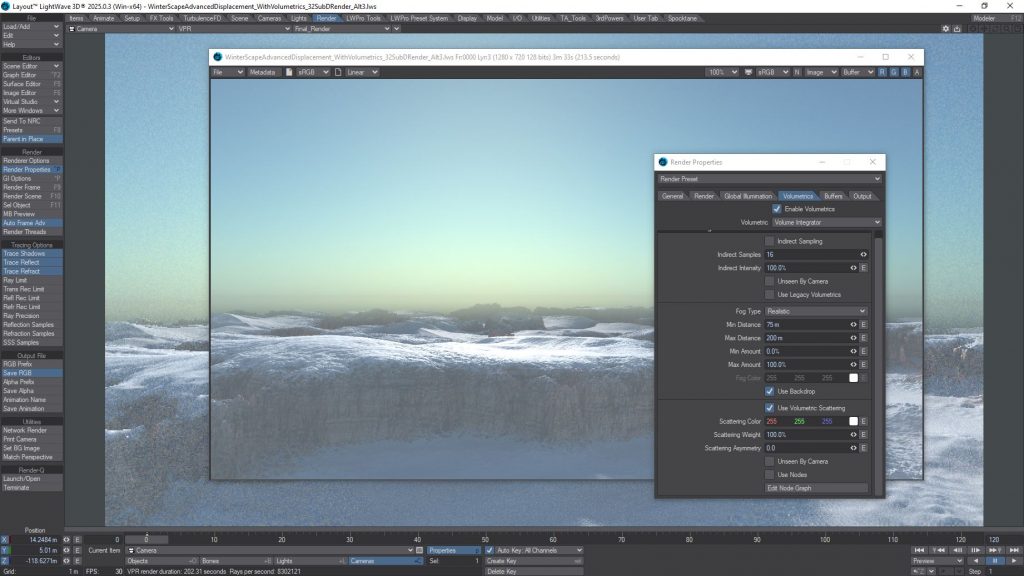
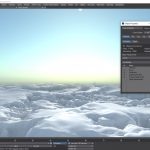
Practical Production Techniques Vol 27 - Ice Terrain is an practical exploration and implementation of a arctic landscape, using LightWave3D's incredibly powerful and legendary procedural texturing system for use in displacements to generate ultra realistic imagery.
Running at 2h52m, this is a fantastic video for anyone who uses LightWave3D, from beginner to expert production level artists.
Kat walks you through everything you need to know to get your brain wrapped around this process and methodology including the texturing of snow and "rock face" exposed through the tundra.
Price: $21.95
![Practical Production Techniques Vol 26 - Damage Volume II[KAT]](https://www.liberty3d.com/wp-content/uploads/2025/06/PPTV_26_DamageVII_SpaceShipSmashy.jpg)
Kat is back with another installment in the Practical Production Techniques series with a sequel to Volume 25 "Damage", now in Volume 26, Damage Volume II, this video picks up and continues on with several concepts covered in the first "Damage" video but specifically covers in more depth and detail, LightWave Modeler's fracture tool, how to use it, avoid its pitfalls and what to do when it produces suboptimal result. Building out a destroyed object for crashing a space ship into it (included in this package!) and setting up Bullet Dynamics and additional displacement methods to help sell the realism of a craft hitting a large cement pillar, tearing off an engine in the process, this video walks you through each step and includes little know techniques to get bullet to play nice in simulations while remaining fast and enjoyable to use even under the most dreaded conditions.
While LightWave 2025 is required for opening the scenes and to use the Displacement Brush, you can still follow along in almost any version of LightWave3D from 2015 and up.
This video contains all the assets needed to follow along in 12 straight forward segments.
Run Time: Approximately 240 minutes
Price: $29.95
![Practical Production Techniques Vol 25 - Damage [KAT]](https://www.liberty3d.com/wp-content/uploads/2025/05/PPTV_25_Damage_CarSmash_06.jpg)
Practical Production Techniques Volume 25 - Damage, is a fantastic video for anyone looking to get their head wrapped around how to destroy and smash or crash something in a project setting. Kelly "Kat" Myers, takes you through the process of wrecking a Chrysler 300c sedan, using an array of tools, new and old, via techniques pulled from all forms of projects he's worked on in the past. From conventional modeler tools used to morph and fracture, to new tools including Metamorphic, the New Displacement Brush (LW2025), and even Chronosculpt to round out damage and adapt it to any scene you can think of, this title runs approximately 250 minutes and includes all of the scenes and object files for you to pull apart as you follow along in this 16 part training video. There are always gotchas in doing damage with any tool set, yet Kat walks you through the advantages and disadvantages of each approach, in real-time and adapts work flows using combinations of tools that were impossible in previous versions of LightWave3D prior to LW 2018, let alone what is now enhanced by the incredibly sneaky secret weapon level functionality of the Displacement Brush found in LW 2025.
Price: $34.95
![Kat's Shattering Glass Pack Vol. 1 [KAT]](https://www.liberty3d.com/wp-content/uploads/2025/02/ShatteredGlassPackPromo_01.jpg)
Originally created to provide compositing elements for The Asylum's numerous disaster films over the last 3 years, Kat's VFX Shattering Glass Pack Vol 1., is much more than just something you can use in your composites. It's a full scenes, objects, and MDD vert cache collection that can be used immediately in your scenes for when you need glass windows to shatter and fall or modify to have blow out in a direction such as when a character gets pushed through it or some other environmental factor contributes to its destruction. They are LOAD AND GO, with many final setups working with MDD files applied alreadyin each scene. No Bullet caching or sims required, but all the bullet settings for each scene are preserved and ready to be fiddled with should you desire.
Created in LightWave3D 2015 for maximum compatibility for all current "in production use" versions of LightWave3D, these scenes can easily be pulled into any newer version of LightWave without issue. Simply drop into your scene and go.
Set up with multiple types of glass panes shattered in many different ways using LW Modeler's fracture tool, plus some clean up - each of the 26 primary scenes are essentially drop in and go ready, while an additional 11 scenes are fully set up to be rendered as composite elements from a significant distance for use on skyscrapers glass windows shattering and falling large distances. But it gets better! The renders for those (32bit PNG) are included with this product, so if you don't want to render anything and you need something right away, drop them into your composite and get your shot done work directly with renders with vertical Resolutions of 15K and 200 or more frames for the largest possible freefall time and distance coverage.
Don't have the right "angle"? No problem, these are set up to render in just a few second per frame at high AA/AS and motion blur settings even in a close up. For anyone who needs these types of effects and doesn't have the time to build them out, this package is for you. You will find that you will use them over and over for doing action shots of many types. Any time you need to break a window, this is your go to kit to do it!
Price: $24.95
This LightWave 2024/2023 Video Bundle Pack includes: Volumes #1 to #7. Plus Bonus LightWave Cartoon Character Rigging Tutorials!!
Price: $67.00
![Introduction to LW Flow [KAT]](https://www.liberty3d.com/wp-content/uploads/2025/02/LWFLow_TerminatorToridExample.jpg)
LW Flow is a new, GPU Enabled (CUDA Flex/Newton Physics) physics engine introduced in LightWave3D 2024 that can produce some great liquid simulations directly inside of LightWave3D. Kat has spent several months producing this tutorial, first, dealing with the current lack of documentation for the tool on release, plus the various oddities of the tool itself and has come up with 240+ minutes of exploration, ins and outs, gotchas and work arounds plus demonstration scenes for you to check out.
Starting out with a basic overview of what LW Flow is and isn't Kat then gets into the video by demonstrating how to set up a basic scene, where the most important controls are and what they do, then getting into more advanced concepts to help solve various problems users will hit and how to get around them using this early version of LW Flow.
This is a great introduction to LW Flow for ANY LightWave3D user looking to immerse themselves in this highly exciting tech.
Interesting scenes like doing a "Blood Pack/Squib", a straight forward glass fill with icecubes, decorating a cake and more are covered as well as extras including scenes taken from Kat's LightWave Digital videos on LW Flow, but not available elsewhere but in this package. Also covered is the baking process for LWO object sequences and a resurfacing tool for re-surfacing object sequences without having to re-simulate/bake via LW Flow, which can also be very handy for other scenarios working with object sequences. The tool is included in this download.
Price: $29.95
Here is the bundle of Lewis' lovely Octane Render and Modeling Tutorial for LightWave3D of the Casio ECB-500 Wrist Watch.
Price: $59.95
![Casio Edifice Watch Rendering in Octane Render [EB]](https://www.liberty3d.com/wp-content/uploads/2025/01/Casio_RENDER_Tutorial_Thumbnail.jpg)
This is a LightWave3D Octane Render Project of a Casio ECB-500 Wrist Watch. If you picked up the modeling tutorial, then this is the next logical step if you are a LightWave3D+Octane Render user.
This tutorial uses LightWave3D version 2024 and Octane Render 2023.1.3 and can be easily followed with LW 2023, 2020, 2019, 2018 using Octane Prime (free) or Studio+ from Otoy. LightWave3D 2023 and 2024 come with Octane Prime (free) ready for you to use, so if you have been a recent upgrade or new seat participant, all you need is your Octane Prime account and you are ready to go.
Should you have questions please get in touch with me info@ram-studio.hr or lewis@tomsoft.hr if you need any help.
The tutorial is recorded in 2560*1440 resolution and encoded as MP4 H264 so the image quality is very clear and sharp.
If have been wanting to get into Octane then this is a great real-world case scenario built on a studio-grade production asset for the purpose of commercial distribution. LightWave and Octane are a fantastic combination, and Lewis, brings this tutorial to you in 4 easy to follow chapters, clocking in at 2h05m20s total.
Price: $39.95
Price: $29.95
This is LightWave3D Modeling Project of a Casio ECB-500 Wrist Watch.
Lewis shows and talks to how to model a fully SubD Mesh of a Casio ECB-500 Whist Watch including UV map techniques how to apply textures.
It's a full on Modeling course spread across 19 chapters (ranging from 10 to 60 minutes per chapter) in total of 11 hours of Video and Audio tutorial.
Tutorial uses LightWave3D version 2024 but can be easy followed with LW 2023, 2020, 2019, 2018 (with one free plugin so contact me at info@ram-studio.hr or lewis@tomsoft.hr if you need any help.)
Tutorial is recorded in 2560*1440 resolution and coded as MP4 H264 coded so image quality is very clear and sharp.
This is a great value for anyone looking to up their game as a 3D modeler using LightWave.
Price: $49.99
Price: $39.95
Remember! Use the coupon code: L3DChristmasSale2025
Thank you from all of us at Liberty3d.com. Meowy Christmas and Happy Mew Years!



![LightWave 2024/2023 Bundle- Volumes #1 to #7 [AG]](https://www.liberty3d.com/wp-content/uploads/2025/03/LightWave-2024_2023_Bundle_Pack_Vol_1_to_7_JPEG.jpg)
![Casio Watch LW Modeling + Octane Rendering Bundle [EB]](https://www.liberty3d.com/wp-content/uploads/2025/01/Casio_RENDER_Tutorial_Thumbnail-1.jpg)
![Casio Edifice Watch Modeling [EB]](https://www.liberty3d.com/wp-content/uploads/2024/12/Casio_Tutorial_Thumbnail.jpg)