


LightWave3D Training
More videos are coming soon all the time! Check back often for new releases from Liberty3D.com
![LightWave 2023- Volume #3- Modeler I [AG]](https://www.liberty3d.com/wp-content/plugins/wp-cart-for-digital-products/lib/timthumb.php?src=https://www.liberty3d.com/wp-content/uploads/2024/04/LW_2023_Vol_3_Product_Box_400pix.jpg&h=125&w=125&zc=1&q=100)
![LightWave 2023- Volume #2- Getting Started II [AG]](https://www.liberty3d.com/wp-content/plugins/wp-cart-for-digital-products/lib/timthumb.php?src=https://www.liberty3d.com/wp-content/uploads/2024/03/LW_2023_Vol_2_Product_Box_400pix.jpg&h=125&w=125&zc=1&q=100)
![Advanced TurbulenceFD for LightWave - Rising From the Fog [KAT]](https://www.liberty3d.com/wp-content/plugins/wp-cart-for-digital-products/lib/timthumb.php?src=https://www.liberty3d.com/wp-content/uploads/2024/02/ITsGreen_TFDGradient.jpg&h=125&w=125&zc=1&q=100)
![LightWave 2023- Volume #1- Getting Started I [AG]](https://www.liberty3d.com/wp-content/plugins/wp-cart-for-digital-products/lib/timthumb.php?src=https://www.liberty3d.com/wp-content/uploads/2024/01/LW_2023_Vol_1_Product_Box_400pix.jpg&h=125&w=125&zc=1&q=100)
![Practical Production Techniques Vol. 23 [KAT]](https://www.liberty3d.com/wp-content/plugins/wp-cart-for-digital-products/lib/timthumb.php?src=https://www.liberty3d.com/wp-content/uploads/2023/09/PPTVol23Promo_TFDRenderTest.jpg&h=125&w=125&zc=1&q=100)
![Adam's Everything LightWave Monster Bundle [AG]](https://www.liberty3d.com/wp-content/plugins/wp-cart-for-digital-products/lib/timthumb.php?src=https://www.liberty3d.com/wp-content/uploads/2023/05/Everything_LightWave_Monster_Bundle_JPEG.jpg&h=125&w=125&zc=1&q=100)
![LightWave 2020- Volume #23- Cartoon Character UV Mapping [AG]](https://www.liberty3d.com/wp-content/plugins/wp-cart-for-digital-products/lib/timthumb.php?src=https://www.liberty3d.com/wp-content/uploads/2023/02/LW_2020_Vol_23_Product_Box_400pix.jpg&h=125&w=125&zc=1&q=100)
![LightWave 2020- Volume #22- Retro Spaceship UV Mapping [AG]](https://www.liberty3d.com/wp-content/plugins/wp-cart-for-digital-products/lib/timthumb.php?src=https://www.liberty3d.com/wp-content/uploads/2023/02/LW_2020_Vol_22_Product_Box_400pix.jpg&h=125&w=125&zc=1&q=100)

![LightWave 2020- Volume #21- Spacecraft UV Mapping [AG]](https://www.liberty3d.com/wp-content/plugins/wp-cart-for-digital-products/lib/timthumb.php?src=https://www.liberty3d.com/wp-content/uploads/2023/02/LW_2020_Spacecraft_UV_Mapping_Product_Box_400pix.jpg&h=125&w=125&zc=1&q=100)
![LightWave 2020- Volume #20- Retro Spaceship Modeling I [AG]](https://www.liberty3d.com/wp-content/plugins/wp-cart-for-digital-products/lib/timthumb.php?src=https://www.liberty3d.com/wp-content/uploads/2023/01/LW_2020_Vol_20_Product_Box_400pix.jpg&h=125&w=125&zc=1&q=100)
![Practical Production Techniques Vol. 22 [KAT]](https://www.liberty3d.com/wp-content/plugins/wp-cart-for-digital-products/lib/timthumb.php?src=https://www.liberty3d.com/wp-content/uploads/2022/10/CPS_080_002_R01.jpg&h=125&w=125&zc=1&q=100)
![LightWave 2020- Cartoon Character Modeling & Rigging Bundle [AG]](https://www.liberty3d.com/wp-content/plugins/wp-cart-for-digital-products/lib/timthumb.php?src=https://www.liberty3d.com/wp-content/uploads/2022/08/LightWave-2020-Character-Modeling-Rigging-Bundle-WhiteBG-01-JPEG.jpg&h=125&w=125&zc=1&q=100)
![LightWave 2020- Cartoon Character Rigging I & II Bundle [AG]](https://www.liberty3d.com/wp-content/plugins/wp-cart-for-digital-products/lib/timthumb.php?src=https://www.liberty3d.com/wp-content/uploads/2022/08/LightWave-2020-Character-Rigging-Bundle-01-JPEG.jpg&h=125&w=125&zc=1&q=100)
![LightWave 2020- Cartoon Character Rigging II [AG]](https://www.liberty3d.com/wp-content/plugins/wp-cart-for-digital-products/lib/timthumb.php?src=https://www.liberty3d.com/wp-content/uploads/2022/08/LW_2020_Vol_19_Product_Box_400pix-1.jpg&h=125&w=125&zc=1&q=100)
![LightWave 2020- Cartoon Character Rigging I [AG]](https://www.liberty3d.com/wp-content/plugins/wp-cart-for-digital-products/lib/timthumb.php?src=https://www.liberty3d.com/wp-content/uploads/2022/08/LW_2020_Vol_18_Product_Box_400pix.jpg&h=125&w=125&zc=1&q=100)
![Practical Production Techniques Vol. 21 [KAT]](https://www.liberty3d.com/wp-content/plugins/wp-cart-for-digital-products/lib/timthumb.php?src=https://www.liberty3d.com/wp-content/uploads/2022/05/PPTV21_VFXEditingExample-1.jpg&h=125&w=125&zc=1&q=100)
![LightWave 2020/2019/2018- Monster Bundle Pack- Volumes #1 to #17 [AG]](https://www.liberty3d.com/wp-content/plugins/wp-cart-for-digital-products/lib/timthumb.php?src=https://www.liberty3d.com/wp-content/uploads/2022/04/LightWave-2020-2019-2018-Bundle-01-JPEG.jpg&h=125&w=125&zc=1&q=100)
![LightWave 2020- Cartoon Character Modeling I & II [AG]](https://www.liberty3d.com/wp-content/plugins/wp-cart-for-digital-products/lib/timthumb.php?src=https://www.liberty3d.com/wp-content/uploads/2022/04/LightWave-2020-Character-Modeling-Bundle-01-JPEG.jpg&h=125&w=125&zc=1&q=100)
![LightWave 2020 Bundle Pack (Volumes #13,14,15,16,17) [AG]](https://www.liberty3d.com/wp-content/plugins/wp-cart-for-digital-products/lib/timthumb.php?src=https://www.liberty3d.com/wp-content/uploads/2022/04/LightWave-2020-Bundle-Pack-13-to-17-JPEG.jpg&h=125&w=125&zc=1&q=100)
![LightWave 2020- Vol. #17- Cartoon Character Modeling II- Body Modeling [AG]](https://www.liberty3d.com/wp-content/plugins/wp-cart-for-digital-products/lib/timthumb.php?src=https://www.liberty3d.com/wp-content/uploads/2022/04/LW_2020_Vol_17_Product_Box_400pix.jpg&h=125&w=125&zc=1&q=100)
![Lightwave 2020- Vol. #16- Cartoon Character Modeling I- Head Modeling [AG]](https://www.liberty3d.com/wp-content/plugins/wp-cart-for-digital-products/lib/timthumb.php?src=https://www.liberty3d.com/wp-content/uploads/2022/03/LW_2020_Vol_16_Product_Box_400pix.jpg&h=125&w=125&zc=1&q=100)
![LightWave 2020- Volume #15- Getting Started III [AG]](https://www.liberty3d.com/wp-content/plugins/wp-cart-for-digital-products/lib/timthumb.php?src=https://www.liberty3d.com/wp-content/uploads/2022/01/LW_2020_Vol_15_Product_Box_400pix-1.jpg&h=125&w=125&zc=1&q=100)
![LightWave 2020- Volume #14- Getting Started II [AG]](https://www.liberty3d.com/wp-content/plugins/wp-cart-for-digital-products/lib/timthumb.php?src=https://www.liberty3d.com/wp-content/uploads/2022/01/LW_2020_Vol_14_Product_Box_400pix.jpg&h=125&w=125&zc=1&q=100)
![Secrets of Publishing a Children's Book on Amazon & Kindle for Free Using 3D/2D Software-Vol. #2 [AG]](https://www.liberty3d.com/wp-content/plugins/wp-cart-for-digital-products/lib/timthumb.php?src=https://www.liberty3d.com/wp-content/uploads/2021/06/Pretty-Princess-Puppy-Front-Cover-01-200pix.jpg&h=125&w=125&zc=1&q=100)
![Practical Production Techniques Vol 1 - 20 Ultra Bundle [KAT]](https://www.liberty3d.com/wp-content/plugins/wp-cart-for-digital-products/lib/timthumb.php?src=https://www.liberty3d.com/wp-content/uploads/2010/09/STORE_Generic.jpg&h=125&w=125&zc=1&q=100)
![Practical Production Techniques Vol. 20 [KAT]](https://www.liberty3d.com/wp-content/plugins/wp-cart-for-digital-products/lib/timthumb.php?src=https://www.liberty3d.com/wp-content/uploads/2021/06/PPTVol_20_RenderExample.jpg&h=125&w=125&zc=1&q=100)
![Practical Production Techniques Vol. 19 [KAT]](https://www.liberty3d.com/wp-content/plugins/wp-cart-for-digital-products/lib/timthumb.php?src=https://www.liberty3d.com/wp-content/uploads/2021/04/PPTV19Promo_05.jpg&h=125&w=125&zc=1&q=100)
![LightWave 2020- Volume #13- Getting Started I [AG]](https://www.liberty3d.com/wp-content/plugins/wp-cart-for-digital-products/lib/timthumb.php?src=https://www.liberty3d.com/wp-content/uploads/2021/02/LW_2020_Vol_13_Product_Box_400pix.jpg&h=125&w=125&zc=1&q=100)
![Model a Wheel in MoI 3D [PN]](https://www.liberty3d.com/wp-content/plugins/wp-cart-for-digital-products/lib/timthumb.php?src=https://www.liberty3d.com/wp-content/uploads/2021/01/wheel_300x169.png&h=125&w=125&zc=1&q=100)
![Practical Production Techniques Vol. 18 [KAT]](https://www.liberty3d.com/wp-content/plugins/wp-cart-for-digital-products/lib/timthumb.php?src=https://www.liberty3d.com/wp-content/uploads/2021/01/PPTVol18PromoImages_05-1.jpg&h=125&w=125&zc=1&q=100)
![Practical Production Techniques Vol. 16 [KAT]](https://www.liberty3d.com/wp-content/plugins/wp-cart-for-digital-products/lib/timthumb.php?src=https://www.liberty3d.com/wp-content/uploads/2020/10/PPTV16_Promo2-1.jpg&h=125&w=125&zc=1&q=100)

![Practical Production Techniques Vol. 15 [KAT]](https://www.liberty3d.com/wp-content/plugins/wp-cart-for-digital-products/lib/timthumb.php?src=https://www.liberty3d.com/wp-content/uploads/2020/08/PPTV15Promo_02.jpg&h=125&w=125&zc=1&q=100)
![Practical Production Techniques Vol. 14 [KAT]](https://www.liberty3d.com/wp-content/plugins/wp-cart-for-digital-products/lib/timthumb.php?src=https://www.liberty3d.com/wp-content/uploads/2020/06/PPTV14_Promo_07-1.jpg&h=125&w=125&zc=1&q=100)
![Substance Painter for LightWave Users- Volumes #1 to #10 [AG]](https://www.liberty3d.com/wp-content/plugins/wp-cart-for-digital-products/lib/timthumb.php?src=&h=125&w=125&zc=1&q=100)
![Substance Painter for LightWave Users- Volume #10- New Features [AG]](https://www.liberty3d.com/wp-content/plugins/wp-cart-for-digital-products/lib/timthumb.php?src=https://www.liberty3d.com/wp-content/uploads/2020/03/Substance_Painter_Vol_10_400pix.jpg&h=125&w=125&zc=1&q=100)
![Bullet Dynamics for Lightwave [RR]](https://www.liberty3d.com/wp-content/plugins/wp-cart-for-digital-products/lib/timthumb.php?src=https://www.liberty3d.com/wp-content/uploads/2020/01/Bullet_Dynamics_for_LW_Logo.png&h=125&w=125&zc=1&q=100)
![TurbulenceFD - Advanced Concepts and Projects: Kitchen Fire [KAT]](https://www.liberty3d.com/wp-content/plugins/wp-cart-for-digital-products/lib/timthumb.php?src=https://www.liberty3d.com/wp-content/uploads/2019/12/TFDPKF_05-1.jpg&h=125&w=125&zc=1&q=100)
![Practical Production Techniques Vol. 12 [KAT]](https://www.liberty3d.com/wp-content/plugins/wp-cart-for-digital-products/lib/timthumb.php?src=https://www.liberty3d.com/wp-content/uploads/2019/11/PPTV12_Promo2.jpg&h=125&w=125&zc=1&q=100)
![LightWave 2019/2018 Bundle Pack-Volumes #1 to #12 (Free Bonus Content & Tutorials) [AG]](https://www.liberty3d.com/wp-content/plugins/wp-cart-for-digital-products/lib/timthumb.php?src=https://www.liberty3d.com/wp-content/uploads/2019/10/Lightwave_2019_Bundle_Pack_I_400pix_JPEG.jpg&h=125&w=125&zc=1&q=100)
![LightWave 2019- Volume #12- Modeler Tools IV [AG]](https://www.liberty3d.com/wp-content/plugins/wp-cart-for-digital-products/lib/timthumb.php?src=https://www.liberty3d.com/wp-content/uploads/2019/10/LW_2019_Vol_12_Product_Box_400pix.jpg&h=125&w=125&zc=1&q=100)
![LightWave 2019- Volume #11- Modeler Tools III [AG]](https://www.liberty3d.com/wp-content/plugins/wp-cart-for-digital-products/lib/timthumb.php?src=https://www.liberty3d.com/wp-content/uploads/2019/10/LW_2019_Vol_11_Product_Box_400pix.jpg&h=125&w=125&zc=1&q=100) CLICK A PAGE NUMBER ABOVE FOR EVEN MORE LIGHTWAVE 3DTRAINING PRODUCTS:
CLICK A PAGE NUMBER ABOVE FOR EVEN MORE LIGHTWAVE 3DTRAINING PRODUCTS:
![LightWave 2023- Volume #3- Modeler I [AG]](https://www.liberty3d.com/wp-content/uploads/2024/04/LW_2023_Vol_3_Product_Box_400pix.jpg)
In this third volume of the LightWave 2023 Series 3D Instructor Adam Gibson introduces LightWave 2023's powerful toolset. A great place to start for beginner LightWave Users.
Some of the Topics Covered: 1) Basic Modeling Concepts, 2) Working with Layers, 3) Move Tool, 4) Mirror Tool, 5) Copy and Paste Tools, 6) Point/Polygon Selection, 7) Stretch Tool, 8) Knife Tool, 9) Rounder Tool, 10) How to Name a Surface, 11) Surface Editor, 12) Creating a Surface Color and more. Running Time: 1 hrs. 59 mins., High Quality (Screen-Res 1920 x 1080 pixels), Video Format: MP4 (.mp4), Level: Beginner.
![LightWave 2023- Volume #2- Getting Started II [AG]](https://www.liberty3d.com/wp-content/uploads/2024/03/LW_2023_Vol_2_Product_Box_400pix.jpg)
In this second volume of the LightWave 2023 Series 3D Instructor Adam Gibson introduces LightWave 2023's powerful toolset. A great place to start for beginner LightWave Users.
Some of the Topics Covered: 1) Text Generator in Layout, 2) Fonts, 3) Rigging Text with Bones, 4) Keyframe Animation, 5) TCB Settings in Graph Editor, 6) Tension Setting for Keyframes, 7) Animation Preview, 8) Rendering a Full Animation, 9) Render Settings, 10) Text Animation Project. Running Time: 2 hrs. 4 mins., High Quality (Screen-Res 1920 x 1080 pixels), Video Format: MP4 (.mp4), Level: Beginner.
Now that TurbulenceFD is a part of LightWave3D 2023 (and up), Kat has produced a lovely tutorial that demonstrates some of the more advanced features while achieving a Star Trek II: Wrath of Khan "mutara nebula" space ship rising through the gaseous cloud effect. Using the Iron Sky "Valkyrie" UFO as a subject in this case (included!), Kat walks you through the various aspects of more advanced functions in TurbulenceFD including Velocity Dampening, Velocity Weight, using helper objects, object vs. particle for "cloud" generation techniques and more.
With a run time of approximately 149 minutes sectioned off into 9 easy to follow videos, this tutorial will show you how to manipulate Density Fluid emission in ways previously not discussed or perhaps considered impossible by many users.
![LightWave 2023- Volume #1- Getting Started I [AG]](https://www.liberty3d.com/wp-content/uploads/2024/01/LW_2023_Vol_1_Product_Box_400pix.jpg)
In this first volume of the LightWave 2023 Series 3D Instructor Adam Gibson introduces LightWave 2023's powerful toolset. A great place to start for beginner LightWave Users. Some of the Topics Covered: 1) User Interface Basics, 2) Importing Pre-Made Models, 3) Shadow Catcher, 4) How to Add the New LightWave 2023 Plugins, 5) Environment Maps, 6) Render Settings, 7) Basic Scene Set-Up, 8) Saving Rendered Images, and more. Running Time: 2 hrs. 36 mins., High Quality (Screen-Res 1920 x 1080 pixels), Video Format: MP4 (.mp4), Level: Beginner
Practical Production Techniques Vol. 23 from Kelly "Kat" Myers is a shot study and recreation of a VFX shot from The Asylum's "Top Gunner 3" which released in the early fall of 2023 on various streaming networks world wide.
In this title, Kat gets straight into it with a scene where an experimental 6th Generation US Fighter Jet (but production decided to use the YF-23 Black Widow model, which was the design loser in the F-22 competition back in the early 1990s) launches a missile and destroys a Russian Su-53 Felon fighter jet.
Several areas of LightWave3D production are covered in this tutorial which is suitable for users working with LightWave3D Versions 2015.3 and up.
From animation concepts working with missiles, particleFX (PFX), Hypervoxels for the missile trail, Bullet Dynamics for destruction of the Su-57 and finally, TurbulenceFD for the explosion of the Su-57, are covered.
This video demonstrates just how fast VFX artists working for the Asylum have to move through a VFX shot in order to keep pace with the incredibly tight production schedules of that LightWave3D, Hollywood production company and VFX studio. In just under 4 hours, this title takes through practically all the steps needed to get a shot ready to render.
A brief side trip into LightWave 2020.0.3 is featured in this 20 video segmented title, to demonstrate how to pull assets and a scene into that version and how almost everything other than textures on geometry due to material differences under the new lighting/shading and rendering system, translates over 1:1. (It's super easy).
This is essentially a pure LightWave3D tutorial and even if you don't have TurbulenceFD (yet), you will get a lot of benefit out of this title.
Partial Assets are included, but do to the commercial nature of the two jet fighters, those have been omitted. However, using the concepts found in this video you can drop in just about anything as a substitute! Blow up BSG models, Trek stuff, B5, Starwars stuff, you name it. Follow along and learn the fundamentals and then take your own vision to new heights.
![Adam's Everything LightWave Monster Bundle [AG]](https://www.liberty3d.com/wp-content/uploads/2023/05/Everything_LightWave_Monster_Bundle_JPEG.jpg)
Adam's Everything LightWave Monster Bundle [AG]
This Monster LightWave Bundle contains every LightWave 3D Tutorial and Course that Adam Gibson has created since the year 2009. LightWave Versions: 9, 10, 11, 11.5, 2015, 2018, 2019 and 2020. Hundreds of hours of detailed training covering everything from 3D Modeling, Texturing, UV Mapping, Rigging, Animating and more!!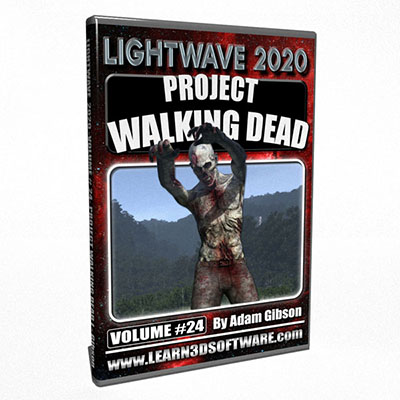
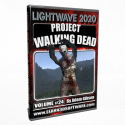
In this twenty fourth volume of the Lightwave 2020/2019/2018 Series 3D Instructor Adam Gibson has created a super fun and exciting course on how and where to download dozens of Free Pre-Rigged 3D characters and thousands of Free Motion Capture Animations to easily use on your 3D characters in LightWave 2020. In this course Adam Gibson will show how to set-up Zombie characters with pre-made animations for use in LightWave 2020. This volume is "Part One" or Three of our "Project Walking Dead" Series to get you up and productive fast!! Running Time: 2 hrs. 28 mins., High Quality (Screen-Res 1920 x 1080 pixels), Video Format: MP4 (.mp4), Level: Beginner.
This LightWave 2020/2019/2018 Bundle contains:
Volumes #1 to #23 (plus Huge-Bonus Content)
![LightWave 2020- Volume #23- Cartoon Character UV Mapping [AG]](https://www.liberty3d.com/wp-content/uploads/2023/02/LW_2020_Vol_23_Product_Box_400pix.jpg)
In this twenty-third volume of the Lightwave 2020/2019/2018 Series 3D Instructor Adam Gibson introduces LightWave 2020 and UV Layout's powerful UV Unwrapping Toolsets. A great place to start for beginner Lightwave Users and anyone who dreads and fears UV Mapping. This course shows how to UV Map a Cartoon Character Alien model to easily get your head around the process. All steps are shown from A to Z to get started making UV maps for your own 3D models
BONUS Content Folder Contains: All Project Files, FREE PLG UV Plugin for LightWave, and BONUS Videos on how to install and Set-Up the PLG Tools in your LightWave User Interface!! Running Time: 3 hrs. 28 mins., High Quality (Screen-Res 1920 x 1080 pixels), Video Format: MP4 (.mp4), Level: Beginner.
![LightWave 2020- Volume #22- Retro Spaceship UV Mapping [AG]](https://www.liberty3d.com/wp-content/uploads/2023/02/LW_2020_Vol_22_Product_Box_400pix.jpg)
In this twenty-second volume of the Lightwave 2020/2019/2018 Series 3D Instructor Adam Gibson introduces LightWave 2020 and UV Layout's powerful UV Unwrapping Toolsets. A great place to start for beginner Lightwave Users and anyone who dreads and fears UV Mapping. The course shows how to UV Map a simple 3D Spaceship model to easily get your head around the process. All steps are shown from A to Z to get started making UV maps for your own models
BONUS Content Folder Contains: All Project Files, FREE PLG UV Plugin for LightWave, and BONUS Videos on how to install and Set-Up the PLG Tools in your LightWave User Interface!! Running Time: 3 hrs. 11 mins., High Quality (Screen-Res 1920 x 1080 pixels), Video Format: MP4 (.mp4), Level: Beginner.
This LightWave 2020 Bundle Pack contains: Volumes #13,14,15,16,17,18,19,20, and 21. Covers various topics from Sub-D Modeling, UV Mapping, Basic Texturing/Surfacing, Environment Maps to Character Rigging and much more!! -FREE Rock Texture Pack Included!!
![LightWave 2020- Volume #21- Spacecraft UV Mapping [AG]](https://www.liberty3d.com/wp-content/uploads/2023/02/LW_2020_Spacecraft_UV_Mapping_Product_Box_400pix.jpg)
In this twenty-first volume of the Lightwave 2020/2019/2018 Series 3D Instructor Adam Gibson introduces LightWave 2020 and UV Layout's quick and powerful UV Mapping toolsets. A great place to start for beginner and experienced 3D artists who are new to UV Mapping. In this UV Mapping course Adam Gibson will demonstrate one of his UV Mapping Workflows using the above 2 software packages to increase the speed and quality of your UV Mapping projects. The workflow shown will teach you how to get close to distortion free UV Maps which are the most important thing for having glitch-free textures. Running Time: 6 hrs. 32 mins., High Quality (Screen-Res 1920 x 1080 pixels), Video Format: MP4 (.mp4), Level: Beginner.
![LightWave 2020- Volume #20- Retro Spaceship Modeling I [AG]](https://www.liberty3d.com/wp-content/uploads/2023/01/LW_2020_Vol_20_Product_Box_400pix.jpg)
In this twentieth volume of the Lightwave 2020/2019/2018 Series 3D Instructor Adam Gibson introduces LightWave 2020's powerful modeling toolset. A great place to start for beginner LightWave Users.
Topics and Tools Covered: 1) Sub-D Modeling, 2) Basic Polygon Theory, 3) Move Tool, 4) Rotate Tool, 5) Stretch Tool, 6) Size Tool, 7) Extender Plus Tool, 8) Bandsaw Pro Tool, 9) Mouse Action-Center Tools, 10) Point/Polygon/Edge Selection Tools, 11) Basic Surfing Introduction, 12) Copy/Cut/Paste Tools, 13)Model Layer Navigation, 14) Statistics Panel, 15) Mirror Tool, 16) Saving/Opening 3D Model Files, 17) Shadow Catcher, 18) Basic Compositing and more!!
Running Time: 3 hrs. 22 mins., High Quality (Screen-Res 1920 x 1080 pixels), Video Format: MP4 (.mp4), Level: Beginner
Kat is back with another in the Practical Production Techniques series, this time with Volume 22!
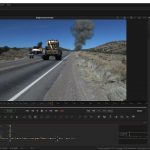
In this installment in the incredibly popular series, Kat walks you through a complete VFX shot for "Curse of The Phantom Shadow" and continues off of the back of Project TowTruck (see Kat's other titles for details). Everything from BG plate clean up and roto, animation, TurbulenceFD effect, to lighting, rendering and to final comp working in LightWave3D 2020.0.3 and Fusion 18, this video has it all!
Kat runs through everything needed to work with the live-action stock footage plate and elements including the perspective match tool. Texture refinement to get clean fast renders and the many "gotchas" that can sneak up are met head-on and overcome.
At just over 305 Minutes (approx), this is a great video for anyone looking to spend an afternoon learning how to take a shot like this from end to end using your favorite tools!
Almost all of the needed content is included in this video including models, modified BG plate, the renders out of LightWave3D, scene files, and the composite flow from Fusion.
As a result, this is a big download of 12, 460MB RAR files that decompress in a sequence (check our FAQ for instructions in the store section).
![LightWave 2020- Cartoon Character Modeling & Rigging Bundle [AG]](https://www.liberty3d.com/wp-content/uploads/2022/08/LightWave-2020-Character-Modeling-Rigging-Bundle-WhiteBG-01-JPEG.jpg)
LightWave 2020- Cartoon Character Modeling & Rigging Bundle [AG]
This LightWave 2020 Bundle Includes 4 volumes of Cartoon Character Modeling & Rigging!! Learn how to Sub-D model characters from scratch and how to rig your 3D characters with a skeletal structure and controls for easy posing and animating!! A Great Bundle for Beginners who want a jump start on creating characters and rigging them!!![LightWave 2020- Cartoon Character Rigging I & II Bundle [AG]](https://www.liberty3d.com/wp-content/uploads/2022/08/LightWave-2020-Character-Rigging-Bundle-01-JPEG.jpg)
LightWave 2020- Cartoon Character Rigging I & II Bundle [AG]
This LightWave 2020 Rigging Bundle Contains: 1) LightWave 2020- Cartoon Character Rigging I -Bones & Skelegons and 2) LightWave 2020- Cartoon Character Rigging II- Inverse Kinematics & Goal Objects/Controls![LightWave 2020- Cartoon Character Rigging II [AG]](https://www.liberty3d.com/wp-content/uploads/2022/08/LW_2020_Vol_19_Product_Box_400pix-1.jpg)
In this nineteenth volume of the Lightwave 2020/2019/2018 Series 3D Instructor Adam Gibson introduces LightWave 2020's powerful character rigging toolset.
In Part Two of Cartoon Character Rigging a detailed introduction to IK (Inverse Kinematic) and Goal Objects (Foot/Leg Controls) will be shown to allow you to easily control the skeletal structure created in "Part One" of this series.
Continued instruction of basic rig problem solving skills will be demonstrated further on more rigging topics. This course is a great place to start for beginner Lightwave Users or anyone who has never rigged a character for animation.
![LightWave 2020- Cartoon Character Rigging I [AG]](https://www.liberty3d.com/wp-content/uploads/2022/08/LW_2020_Vol_18_Product_Box_400pix.jpg)
In this eighteenth volume of the LightWave 2020/2019/2018 Series 3D Instructor Adam Gibson introduces LightWave 2020's powerful character rigging toolset. In part one of Cartoon Character Rigging a detailed introduction to Skelegons and Bones will be shown to allow you to build an easy and simple to use rig for a basic character. An introduction to basic rig problem solving skills will be demonstrated as well. This course is a great place to start for beginner LightWave Users or anyone who has never rigged a character for animation.
Practical Product Techniques Vol. 21 VFX Editing and Previs in Resolve Studio and LightWave3D is a 20-part (+ bonus videos) Tutorial on subject matter that Kat has been wanting to teach for sometime. The Art of VFX Editing and Previs within the context of a real production of shots for Curse of the Phantom Shadow as the last sequence in the short film to be tackled is at hand! Over 80 shots to be finished though, makes it on the surface, seem like a daunting task.
Fear not! Kat discussed in detail the process, logic behind VFX editing, shot count systems in popular use with LightWave3D for decades and why they are still used today, and how even a small team of artists needs it to stay organized and not discouraged.
Featuring new tool tips and tricks working in Davinci Resolve 18 Beta2 and LightWAve3D 2020.0.3 This video covers a lot and includes content!
![LightWave 2020/2019/2018- Monster Bundle Pack- Volumes #1 to #17 [AG]](https://www.liberty3d.com/wp-content/uploads/2022/04/LightWave-2020-2019-2018-Bundle-01-JPEG.jpg)
LightWave 2020/2019/2018- Monster Bundle Pack- Volumes #1 to #17 [AG]
This LightWave 2020/2019/2018 Monster Bundle Includes: Volumes #1 to #17 (+MASSIVE BONUS Content) by Adam Gibson. All 17 Volumes are included in this bundle!!![LightWave 2020- Cartoon Character Modeling I & II [AG]](https://www.liberty3d.com/wp-content/uploads/2022/04/LightWave-2020-Character-Modeling-Bundle-01-JPEG.jpg)
LightWave 2020- Cartoon Character Modeling I & II [AG]
This Bundle Contains: 1) Lightwave 2020- Vol. #16- Cartoon Character Modeling I- Head Modeling 2) LightWave 2020- Vol. #17- Cartoon Character Modeling II- Body Modeling![LightWave 2020 Bundle Pack (Volumes #13,14,15,16,17) [AG]](https://www.liberty3d.com/wp-content/uploads/2022/04/LightWave-2020-Bundle-Pack-13-to-17-JPEG.jpg)
LightWave 2020 Bundle Pack (Volumes #13,14,15,16,17) [AG]
The Bundle Pack Includes 5 volumes of LightWave 2020 (+BONUS Content): 1) LightWave 2020- Volume #13- Getting Started I, 2)LightWave 2020- Volume #14- Getting Started II, 3) LightWave 2020- Volume #15- Getting Started III, 4) Lightwave 2020- Cartoon Character Modeling I- Head Modeling 5) LightWave 2020- Cartoon Character Modeling II- Body Modeling![LightWave 2020- Vol. #17- Cartoon Character Modeling II- Body Modeling [AG]](https://www.liberty3d.com/wp-content/uploads/2022/04/LW_2020_Vol_17_Product_Box_400pix.jpg)
In this seventeenth volume of the LightWave 2020/2019/2018 Series 3D Instructor Adam Gibson teaches the LightWave student how to get started modeling Cartoon Style Characters that are designed for the rigging process and animation purposes.
Adam Gibson shows the important modeling techniques & basics for functional polygon flow so your characters can deform/bend for easier posing and animation. In this volume "Cartoon Character Modeling II" we show how to seamlessly create the Alien character's body building off the head structure from the previous volume. Learn how to control Points, Edges and Polygons to sculpt the shapes and structures needed for creating beautiful organic style Sub-D characters. The modeling techniques in this training series is the foundation for building characters, animals, monsters or any organic type 3D model. A great place to start for beginner LightWave Users or those new 3D Modeling.
*Bonus Content Folder Includes: 1) Model Files 2) Background Reference Image Templates
![Lightwave 2020- Vol. #16- Cartoon Character Modeling I- Head Modeling [AG]](https://www.liberty3d.com/wp-content/uploads/2022/03/LW_2020_Vol_16_Product_Box_400pix.jpg)
In this sixteenth volume of the LightWave 2020/2019/2018 Series 3D Instructor Adam Gibson teaches the LightWave student how to get started modeling Cartoon Style Characters that are designed for the rigging process and animation purposes.
Adam Gibson shows the important modeling techniques & basics for functional polygon flow so your characters can deform/bend for easier posing and animation. In this volume "Cartoon Character Modeling I" we will be designing a cartoon style Alien head. In Volume #17 (Cartoon Character Modeling II) we show how to seamlessly create the Alien character's body building off the head structure.
-Learn how to control Points, Edges and Polygons to sculpt the shapes and structures needed for creating beautiful organic style Sub-D characters.
-The modeling techniques in this training series is the foundation for building characters, animals, monsters or any organic type 3D model.
A great place to start for beginner LightWave Users or those new 3D Modeling.
*Bonus Content Folder Includes: 1) Model Files 2) Background Reference Image Templates
![LightWave 2020- Volume #15- Getting Started III [AG]](https://www.liberty3d.com/wp-content/uploads/2022/01/LW_2020_Vol_15_Product_Box_400pix-1.jpg)
In this fifteenth volume of the Lightwave 2020/2019/2018 Series 3D Instructor Adam Gibson introduces LightWave 2020's powerful surfacing toolset. Many hours went into creating the giant rock texture pack included with video training and on how to use them in your own work!! A great video volume for getting started with surfacing in LightWave 2020.
Topics Covered: 1) Introduction to Node Surfacing Basics, 2) Principled BSDF Material Node Set-Up, 3) Standard Material Node Set-Up, 4) Creating Cool Rock Surfaces with the FREE Rock Pack Included in this training volume (31 Textures-Each with 5 Inputs Maps-Color, Specular, Occlusion, Normal and Displacment), 5) Images Node, 6) Layer Node, 7) Normal Map Node, 8) Sub-Ds and Displacment Map Basics, 9) Multiple Node Set-Ups and more!!
![LightWave 2020- Volume #14- Getting Started II [AG]](https://www.liberty3d.com/wp-content/uploads/2022/01/LW_2020_Vol_14_Product_Box_400pix.jpg)
In this fourteenth volume of the Lightwave 2020/2019/2018 Series 3D Instructor Adam Gibson introduces LightWave 2020's powerful toolset. A great place to start for beginner Lightwave Users. Topics Covered: 1) 360-Degree Cylindrical Environment Map Set-Up, 2) 360-Degree Spherical Environment Map Set-Up, 3) Cylindrical Environment Map Tricks/Creation, 4) How to Create Cylindrical Environment Maps in Photoshop (or any Photo-Editing software package, 5) How to turn any Regular Background Photo into a 360-Degree Cylindrical Map, 6) Rendering PNG Images of your 3D Models with Transparency for Use in other Software Packages (eg. Photoshop), 7) How to Create a Cel-Shade (Cartoon Look) for your 3D Models in LightWave. FREE BONUS CONTENT: 1) 12 FREE 360-Degree 8K Spherical Maps
2) Over 20 FREE Practice Photos for Practicing Creating 360 Cylindrical Environment Maps.
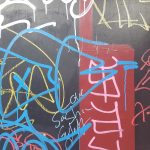
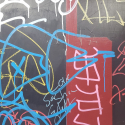
Kat has released volume 2 of his DT Las Vegas Texture Pack. Taking through out the late summer months of 2021 in the downtown Las Vegas area these lovely photographs for you that are perfect for textures in use with just about any 3D program on the planet, especially LightWave3D. This is a complimenting package to the first volume so make sure to check that one out as well so you have the complete set.
You get:
Graffiti = 53
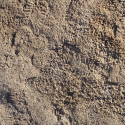
GroundNStuff = 83
StuccoStoneWalls =56
Misc = 11
That's just over 200 images ready for you to drop into a program such as Materializer (Materializer example project included!) to create your texture sets from for PBR use in just about any modern rendering engine such as LightWave3D 2018+, game engine such as Unreal or Unity or other PBR system. They can also easily be used LightWave3D Legacy editions as well. They are untouched, pristine images taken at magic hour during the months of August, September and October of 2021. Crop and adjust as needed!
Get 894MB of awesome texture images for your next project in this collection today!
All photos taken at 1960x4032 or 4032x1960 pixels.
Kat spent a good while walking around the Downtown Las Vegas area taking these lovely photographs for you that are perfect for textures in use with just about any 3D program on the planet, especially LightWave3D.
You get:
Brick = 16
CamoGrass = 16
Cement = 34
DirtSan =56
Metalics = 115
Misc = 9
PlasterStucco = 46
StoneRocks = 16
Woods = 114
That's 422 images ready for you to drop into a program such as Materializer (Materializer example project included!) to create your texture sets from for PBR use in just about any modern rendering engine such as LightWave3D 2018+, game engine such as Unreal or Unity or other PBR system. They can also easily be used LightWave3D Legacy editions as well. They are untouched, pristine images taken at magic hour during the month of August 2021.
Get over 1.65GB of awesome textures for your next project in this collection today!
All photos taken at 1960x4032 or 4032x1960 pixels.
![Secrets of Publishing a Children's Book on Amazon & Kindle for Free Using 3D/2D Software-Vol. #2 [AG]](https://www.liberty3d.com/wp-content/uploads/2021/06/Pretty-Princess-Puppy-Front-Cover-01-200pix.jpg)
In this second volume 3D Instructor Adam Gibson continues to show more detailed instruction on how to prepare and create your self-published books for submission to Amazon (Paperbacks) and Kindle (EBooks). Get your books published faster and avoid rejections during the publishing process!!
![Practical Production Techniques Vol 1 - 20 Ultra Bundle [KAT]](https://www.liberty3d.com/wp-content/uploads/2010/09/STORE_Generic.jpg)
Practical Production Techniques Vol 1 - 20 Ultra Bundle [KAT]
It's the most awesome bundle of all! 20 Practical Production Techniques videos in one ultra bundle from Kelly "Kat" Myers!
This is hundreds of hours of amazing learning material for LightWave3D, Fusion, Syntheyes and much more - spread across 20 titles for an amazingly low price!
With titles dating back to 2010 when we first started, this series covers practically (pun intended) every major type of visual effects scenario a VFX artist may face in the course of their career or pursuits as a hobbyist. From flying space ships to fixing impossibly bad footage in comp, every artist can benefit from the titles in this ultra bundle!
This is a massive product so be ready for some serious downloads!Fusion for LightWave Artists Volume Eight is a great tutorial for LightWave artists who want to explore Fusion inside of Davinci Resolve (ver 17.x) as Kelly "Kat" Myers walks the viewer through an entire VFX shot from start to finish. This title makes use of a StoryBlocks stock footage piece of the Las Vegas strip at night (not included, obviously) and is 3D camera tracked using Fusion's 3D Camera tracking tools. Once in LightWave3D, Kat shows how to set the 3D elements up in the shot and prepares it for lighting using some very unique tricks emulate light coming from the aerial BG plate in a way that he has not shown before and how this lighting helps "sell" the shot in VPR and later in Resolve Fusion Studio after rendering the shot out using LightGroups and Render Buffers for maximum control of the look of the CG elements. Using some of the tools unique to Resolve Fusion Studio for treating the BG plate and final composite over all, Kat demonstrates just how easy it can be to put a shot together using LightWave3D and Resolve Fusion Studio together to produce a wonderful film/cinematic look.
Video Run time is approximately 300 minutes and split into 15 easily digestible parts making it a perfect learning session for hobbyist and professional users, alike even if you have barely opened up Resolve+Fusion Studio. More in this series continues as Kat continues to produce training for VFX artists looking to ramp up their Fusion skills so as to be able to pull of high end TV series or Film VFX shots at will. Yes, the Fusion Comp file, exported from Resolve is included so you can rip it apart and see how things went together!
In this first volume of how to publish books on the Amazon & Kindle Store (book author/3D instructor) Adam Gibson will guide you through the submission and quality control process. During the video chapters you will get a detailed hand held view of an actual children's book technical set-up, approval and placement on the Amazon Store (for Paperback and Ebooks)!! Large Bonus Content Included: 1) Large PDF Collection with clickable links to download Dozens and Dozens of FREE Book Making Software Programs (PDF Creation/Word Processing/Photo-Editing) 2) Hours of Free 3D Video Courses on Modeling and Rigging for your books characters and objects!! 3) Intro Marketing for you Book 4) Technical Book Design Guides.
![Practical Production Techniques Vol. 20 [KAT]](https://www.liberty3d.com/wp-content/uploads/2021/06/PPTVol_20_RenderExample.jpg)
Practical Production Techniques Vol. 20 [KAT]
Now in the 20th installment of the highly popular and much loved Practical Production Techniques series of videos from Kelly "Kat" Myers, this title "Live Action and CG" is a quick get in and get out tutorial that tackles several tasks from tracking to lighting in order to ram through a high quality VFX shot in a morning or afternoon or less (much less).
This 13 part video covers all the bases and walks artists through a work flow to get a shot out the door fast without getting bogged down with finicky details with a run time of 146 minutes (approx.)
Assets are included with the exception of the BG stock footage plate. It is however available on VideoBlocks.
Let's kill fireflies! And noise!
Kat walks you through how to eliminate those pesky fireflies and other various forms of noise in Practical Production Techniques Vol. 19 - Killing Fireflies Dead!
Since LW 2018 and the introduction of the PBR materials and rendering engine technology, users around the world, old and new have fought with the problems of dealing with noise and fireflies (those evil hot speckles) in their renders. These issues have unfortunately given many users that the new rendering and surfacing materials system is inferior to the old system from 2015.3 prior, however when you understand what causes them and how to defeat them, the real power of the render engine and surfacing system comes to your finger tips easily and quickly. There are more than a few tricks to this but some of them may not seem obvious to users getting used to this new system. Kat gets you up and running quickly on how to tackle these problems.
![LightWave 2020- Volume #13- Getting Started I [AG]](https://www.liberty3d.com/wp-content/uploads/2021/02/LW_2020_Vol_13_Product_Box_400pix.jpg)
In this thirteenth volume of the LightWave 2020/2019/2018 Series 3D Instructor Adam Gibson introduces LightWave 2020's powerful toolset. A great place to start for beginner LightWave Users. Some of the Topics Covered: 1) User Interface, 2) Importing Pre-Made Models (Adjusting Surfaces), 3) Editing the Menu Layout, 4) How to Add Plugins, 5) New LW 2020 Feature!! Environment Light Introduction and more. Running Time: 2 hrs. 22 mins. High Quality (Screen-Res 1920 x 1080 pixels), Video Format: MP4 (.mp4), Level: Beginner
Model a Wheel in MoI 3D [PN]
Phil Nolan walks you through the finer points of modeling a car wheel in Moment of Inspiration (MoI 3D) and how to export and render it in LightWave3D 2019.1.5. This is a great tutorial for artists who want to get started using this very user friendly CAD software but don't know where to begin. This is complete tutorial providing end to end project details and files so you are up and running fast!![Practical Production Techniques Vol. 18 [KAT]](https://www.liberty3d.com/wp-content/uploads/2021/01/PPTVol18PromoImages_05-1.jpg)
As we all know, Bullet Dynamics in LightWave3D as with any program that supports Bullet, has a lot of uses beyond smashing and crashing stuff. Or a stupid box and ball demo. While either use can be fun, there is much more to it than that and this title demonstrates a great way to make use of Bullet in a real-world scenario.
In Kelly "Kat" Myers' 18th installment in the Practical Production Techniques series of video training for LightWave3D, the subject is how to take a turbosquid sourced model, quickly texture and light it with volumetric lights and then animate each of the Ferris Wheel "carts" or cabins via Bullet Dynamics. It's a lot easier than you might think, but does take a bit of patience to get things "right" and then replicate for each element to be animated.
In just under 3 hours, this video will take you from start to finish and show you everything you need to know about how to produce a similar animation while also teaching some fundamentals about Bullet Dynamics with respect to "Hinges" and bone relationships to constraints.
Content is included with this for scenes, surface libraries, but unfortunately the model itself and texture images are not part of the package as its a commercial product from outside Liberty3d.com. However, you can easily build out your own similar model or pick up the one featured in the video. Either way this is great for testing and evaluation purposes once you understand how the physics side of things work and apply it to just about anything that calls for "swinging", animated elements that behave naturally under normal gravity, motivated by a parent object's motion.
This is a great tutorial for anyone who needs to dive into a practical application for bullet while not getting to deep into the far end of the pool. It's split up into eight easily digestible parts. For details on the model please view the TXT file included in the tutorial after purchase should you choose to want to grab it yourself. Support artists!
Est. Runtime 174 minutes
HD 1920x1080 Resolution
In this installment of the Practical Production Techniques series, Kat is back with a KitBash3D.com to LightWave3D conversion tutorial dealing with PBR nodal based surfacing using the metalness and roughness shading theory types.
This tutorial covers how to work quickly using the Kitbash3D.com "Brooklyn" Kit. Originally built using 3DMax, this kit imports relatively ok, rather than some other kits produced in Maya, Blender or C4D - but with each there are always oddities and things to consider for making their use optimized in LightWave3D easily. Kat covers this and more in this great tutorial. You get all the surface presets created in this title so you can load and go if you own the kit, or follow along and get it done quickly yourself and take that knowledge and carry it over to other kits!
In an attempt to preserve some of the legacy of LightWave3D's history in the 3D and VFX world and its contributions to some of the most icon sci-fi television shows of the last 30 years; Liberty3d.com is making an effort archive and make available to the LightWave3D community many fan built assets from the series Babylon 5 (B5).
In this free to download collection, there are dozens of objects and scene set ups that will allow you to reproduce many wonderful visuals from the mid-1990s series. This is a great collection for anyone with a copy of LightWave3D going back to version 5.6 (if not earlier but we haven't tested this) to LightWave3D 2015.3. Later versions of LightWave3D may cause some pretty serious breakage of certain textures, and - volumetric engine or weapons fire effects rigs, so be warned! This doesn't mean that they cannot be reproduced using later versions of LightWave3D. They can, it just takes a bit of work.
While we can't list everything here, these are some highlights.
Included in this collection:
Whitestar LWO
Vorlon Dreadnought
Velarian_Class_Battleship
v9etu69q4r28-Babylon5
Shadow_Ship_(non_cannon)
Shadow_Alien
Psy_Corp_Mothership
narncruiser
minbari_warcruiser
Minbari_Sharlin_War_Cruiser
minbari_fighter
minbari
Jump_Gate
Hyperion
G-'Quan_v1
Earth_Force_One
EA_Shadow_New_Babylon_Station
EA_Omega_Destroyer_by_M.Tarling
EA Badger StarFury F3D Release
Centauri_Liner
big flying saucer
Babylon6
Babylon5
Babylon_5_Starfury_Version_3
B5Dockv2
Ashinta_Class_Escort_Frigate
ACTA_Jumpoint
A_Call_to_Arms_Babylon_5_Jump_Point
These and many more are included in this collection. They are provided "As Is" and where possible as they seem to be preserved from their original states produced by fans, credit for the authors is included in readme.txt files for most.
![Practical Production Techniques Vol. 15 [KAT]](https://www.liberty3d.com/wp-content/uploads/2020/08/PPTV15Promo_02.jpg)
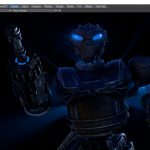
In this 15th volume of the Practical Production Techniques series which contains approximately 1191 minutes of video, multiple award-winning VFX artist and CG Supervisor Kelly "Kat" Myers takes on the daunting task of rescuing a model originally created in 3DS Max produced by a "Fivver" artist for the short film "Curse of the Phantom Shadow" and turning it from "zero to hero" so as to be ready for action in the film. This meant taking the original model and stripping it down to many of its individual parts, redesigning and remodeling them entirely. The model was that bad. Every single piece o the model was either rebuilt or retouched over the course of the creation of this video. In the process of getting the model, a giant 8 story tall robot, camera ready - Kat also goes about the task of prepping it for paint work done by the film's director Mark Ross himself using 3D-Coat. The model comes back from the "paintshop" complete with "metalness" PBR shading theory texture sets. Making quick work of the surfacing using LightWave3D 2020.0.2's advanced nodal shading system and some tricks pulled from many of the productions he has worked on over the years, Kat takes much of the mystery out of PBR/PBDSF shading in this scenario. It's easier than you think! So for you LightWavers out there who have a fear of nodes, fear not! This will get your feet wet and when you are done watching you will be upset with yourself for not trying this workflow earlier. It resolves a lot of problems people encounter in the LW community with "fireflies" and dialing in rendering settings. Finishing the model off in the sense of giving it some life via "running lights", Kat shows you how to set up some interesting internal volumetric lighting effects as well as "Eye Light Beams" using geometry driven Primitive Lights.
This model once complete gets merged into the least amount of layers possible and made "ready-to-rig". That portion being handed off to Ryan Roye. Please check back for that video installment in this amazing series.
This title includes 54 video installments plus the final robot scene and model!
Kat is back with another exciting installment in the Practical Production Techniques Series!
Now in the 14th volume of the series, Kat takes on a shot from a set of 3, from a low budget feature film out of Los Angeles that requires a full photo-realistic CG shot of a Boeing 747 flying over clouds in full 4K at 24 frames per second.
Not for the faint of heart, but by using a suite of tools that involves Black Magic Designs Davinci Resolve Studio 16, Andressen Technolgies Syntheyes, NewTek’s LightWave3D (2020.0.1) and finishing in Black Magic Designs Fusion Studio 16 plus a little bit of render help from the ultra powerful LightForge.cc rendering network; Kat makes quick work of the task using proven and battle tested methods for pulling off a fantastic looking shot from reference footage to previs to final in just 220 minutes! (Not including render time of course).
Working with a wonderful 3D model of a Boeing 747 (included!) provided by fellow LightWave3D artist who also happens to be a pilot, Catherine Smallwood; Kat walks you through each step while explaining many of the principles of taking a shot from previs to final and things to watch out for and factor in during the creation of feature film level Visual Effects that are photo-realistic using LightWave3D and the other complimentary tools to compete the shot. Learn how to produce a track of the plane out of Syntheyes quickly to produce a believable camera motion as it is based on real-world footage. From there Kat gets you into LightWave3D 2020.0.1 to set up the rest of the shot including the CG clouds and the process of making them from a single null object using the new Volumetric Primitive feature in Layout and then getting renders for both the CG plane and clouds ready for processing by the LightForge Render Network. Finally finishing in Fusion, working with the resulting “lightgroup” render buffers from LightWave3D’s rendering engine, Kat completes this VFX shot in a way that looks great!
Get this 220 minute long tutorial with LightWave3D assets, Fusion comp files, Syntheyes Project and of course the training videos today!
Renders are reference footage are unfortunately not included due to copyright reasons and because it would make the package over 100GB in size to download but everything else is included!
Substance Painter for LightWave Users- Volumes #1 to #10 [AG]
![Substance Painter for LightWave Users- Volume #10- New Features [AG]](https://www.liberty3d.com/wp-content/uploads/2020/03/Substance_Painter_Vol_10_400pix.jpg)
What is new in Substance Painter 2019? In this 10th volume 3D Instructor Adam Gibson takes you through Substance Painter 2019.3.3's cool New Features, new UI (User Interface) changes, Automatic UV's, UDIM (UVs) Intro, Masking Techniques, Lightwave Integration Concepts, 3D Model Preparation, and more Tips & Tricks. This training will get you using Substance Painter 2019 quickly and productively in a short amount of time!!
![Bullet Dynamics for Lightwave [RR]](https://www.liberty3d.com/wp-content/uploads/2020/01/Bullet_Dynamics_for_LW_Logo.png)
Bullet Dynamics for Lightwave is a comprehensive look at every single aspect of simulation-driven development. After learning the core concepts, we'll diving right into projects that will enable you to leverage the benefits of procedurally-generated motion in your day to day operations.
![The LFS Project [LFSP]](https://www.liberty3d.com/wp-content/uploads/2018/08/rising-pracima.jpg)
Kelly "Kat" Myers is back with another installment in the TurbulenceFD for LightWave3D series. This time with an extension to the Advanced Concepts and Projects category he runs down the steps needed to set a kitchen on fire!
"Project Kitchen Fire" is 142 minutes of excellent knowledge dealing with TurbulenceFD and some of the oddities that it has working in LightWave3D 2019.1.4
Working in conjunction with 3D-Coat, the tools used to produce this project are minimal but the results are awesome.
One of the great things about TurbulenceFD is that an artist can make use of it while leveraging the power of modern CUDA GPUs. However there are times when simply throwing compute power at a problem is not only inappropriate but restricted by the limits of memory, drive space and more. Efficient use of TurbulenceFD by caching only the required channels needed to produce the desired effect is a trick that many artists using TurbulenceFD overlook.
Kat discusses this in detail while also walking you through the use of LightWave's new OpenVDB technology when shading an OpenVDB cache produced by the bcf2vdb tool shipped with TurbulenceFD. Why it works for some things and not for others is important to understand, including render time considerations vs. fudge factor to get something to work vs. completely failing.
In this title, VFX artist and CG supervisor of Declaration Pictures Inc., and founder of Liberty3d.com - Kelly Lee Myers (aka Kat), shows you how to take a VFX shot from end-to-end using SynthEyes, LightWave3D and Fusion.
Starting with tracking the shot in Syntheyes, Kat walks you through the basics of getting a 3D track done fast using a manual method that produces extremely solid tracks every time. From there he will show you how to set up a LightWave3D based particle snow storm, snowflakes and more before proceeding to the final stages in Fusion where he discussed the ins and outs of Rotoscoping, the caveats involved when dealing with bugs in Fusions Rototools (which are being fixed right now if not already by the time you read this), and how Keyers can work to your advantage if all else fails.
This 31 part video includes assets used in the original VFX shot that was part of a real-world VFX job for the feature film "The Christmas Cabin" which Kat and Wes Sargent completed in a very short time in November/December of 2018 on order to make a tight deadline for the producers to successfully sell the film at a film market conference.
More in the practical production techniques series feature this film as subject matter are in the works and will be available here on Liberty3d.com exclusively.
![LightWave 2019/2018 Bundle Pack-Volumes #1 to #12 (Free Bonus Content & Tutorials) [AG]](https://www.liberty3d.com/wp-content/uploads/2019/10/Lightwave_2019_Bundle_Pack_I_400pix_JPEG.jpg)
Lightwave 2019/2018 Bundle Pack-Volumes #1 to #12 (Free Bonus Content & Tutorials)
![LightWave 2019- Volume #12- Modeler Tools IV [AG]](https://www.liberty3d.com/wp-content/uploads/2019/10/LW_2019_Vol_12_Product_Box_400pix.jpg)
In this twelfth volume of the Lightwave 2019/2018 (12 Volume Series) 3D Instructor Adam Gibson continues to introduce Modeler's powerful toolset. A great place to start for beginner Lightwave Users.
![LightWave 2019- Volume #11- Modeler Tools III [AG]](https://www.liberty3d.com/wp-content/uploads/2019/10/LW_2019_Vol_11_Product_Box_400pix.jpg)
In this eleventh volume of the Lightwave 2019/2018 (12 Volume Series) 3D Instructor Adam Gibson continues to introduce Lightwave’s powerful modeling tools. A great place to start for beginner Lightwave Users.